Claude Code Works in Japanese: 3 Settings and What Stays in English
Yes, Claude Code works in Japanese. Official Japanese documentation exists, you can lock Japanese responses with CLAUDE.md in 3 steps, and this guide clarifies exactly which parts stay in English — so non-engineers can start using it in production today.
What you'll learn in this article
- Where pricing and adoption questions around Claude Code stand right now
- Which plan or rollout stage fits the reader's situation
- Which follow-up article to open next for setup, cost, or bigger-picture context

“Can Claude Code be used in Japanese?” I’ve gotten that question three times just this week — not from engineers, but from marketers, executives, and shop owners.
The answer is: yes, it can. In fact, there’s an official Japanese documentation page. That said, without any configuration, responses can drift into English. The setting that stops that drift is the main subject today.
Three things you’ll be able to do after reading this:
- Explain in your own words how far Claude Code’s Japanese support actually goes
- Create a CLAUDE.md file and lock responses to Japanese
- Identify which parts stay in English and deploy Claude Code to real work without anxiety
Upfront Answer: Claude Code Works in Japanese — But You Need to Lock It
Three quick points. Knowing just these three covers most of what brought you here today.
- Claude Code works in Japanese. Instructions, responses, and code comments can all be handled in Japanese.
- An official Japanese documentation page exists. Under
code.claude.com/docs/ja/, Anthropic has published Japanese-language overview and quickstart pages. - For stable operation, the safest approach is writing “respond in Japanese” in CLAUDE.md. Without that, responses can drift into English mid-session on long conversations.
“Works” and “works stably” are two different things. Claude Code isn’t like ChatGPT, where the assistant always replies in the same register. Because Claude Code operates by referencing project files, if those files don’t contain Japanese-language instructions, responses can wander into English.
Flip that around: placing one file is enough to stop the wandering. How to write that file is what today’s article is really about.
I’ll admit — I initially thought “I don’t need any configuration” and ran it completely bare. Around day three, responses suddenly went fully English on me, and I was confused. It wasn’t a model switch. My project’s reference files were in English, and the model was following that lead.
Official Japanese Documentation Already Exists
Search “Claude Code Japanese” and what surfaces near the top is the official Japanese documentation page. Anthropic has placed Japanese content under code.claude.com/docs/ja/, centered on the overview and quickstart pages.
This didn’t exist until relatively recently. Among overseas-developed CLI tools, having this level of Japanese documentation in place is unusual. Whether “an official Japanese page exists” is one of those things that meaningfully changes buyer confidence — especially in business contexts.
For executives at organizations I work with who are evaluating Claude Code adoption, I now send those two page URLs first. “Official Japanese documentation exists” has, in at least one case, changed how a proposal moved through internal approval.
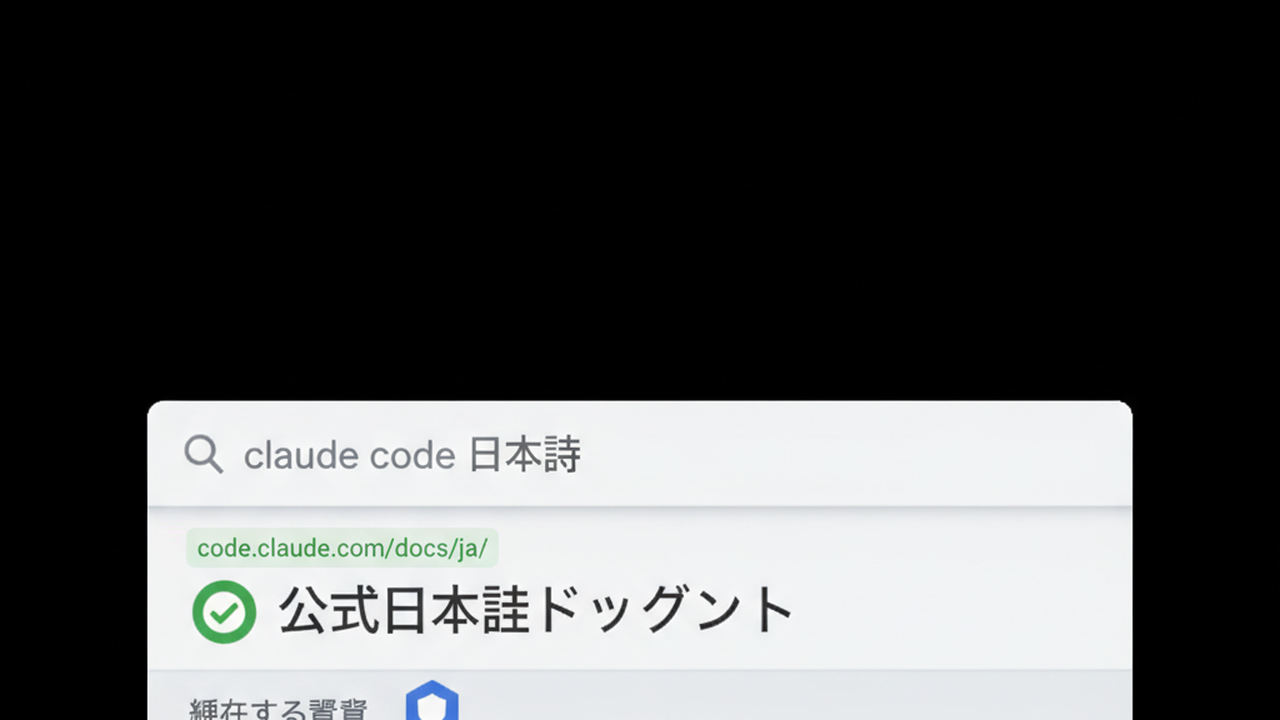
That said, not every page has been Japanized. Deep technical specs and fine-grained release note behavior descriptions often remain in English. The practical approach: use the Japanese documentation to understand the entry point and overall picture, then dip into English documentation for specific edge-case behavior as needed.
In practice, I do one full read-through of the Japanese docs first, then open English pages only when a specific question requires it. That eliminates the need to open English documentation on every search.
For non-engineers who hear “read the documentation” and feel their guard go up: the overview and quickstart pages in Japanese are genuinely just two pages. Reading them reduces the first hour of false starts by about 80%. That 10-minute investment pays outsized returns.
Locking Japanese Responses in CLAUDE.md: 3 Steps
Here’s the core of the article. Claude Code is designed to read a file called CLAUDE.md placed at the root of your project (the top-most folder) at the start of every session. Instructions written there are automatically loaded each time a new session opens.
This is called the memory feature. Write it once and you never have to retype the same instructions in subsequent conversations. Details are in the official memory documentation.
Here are the three steps:
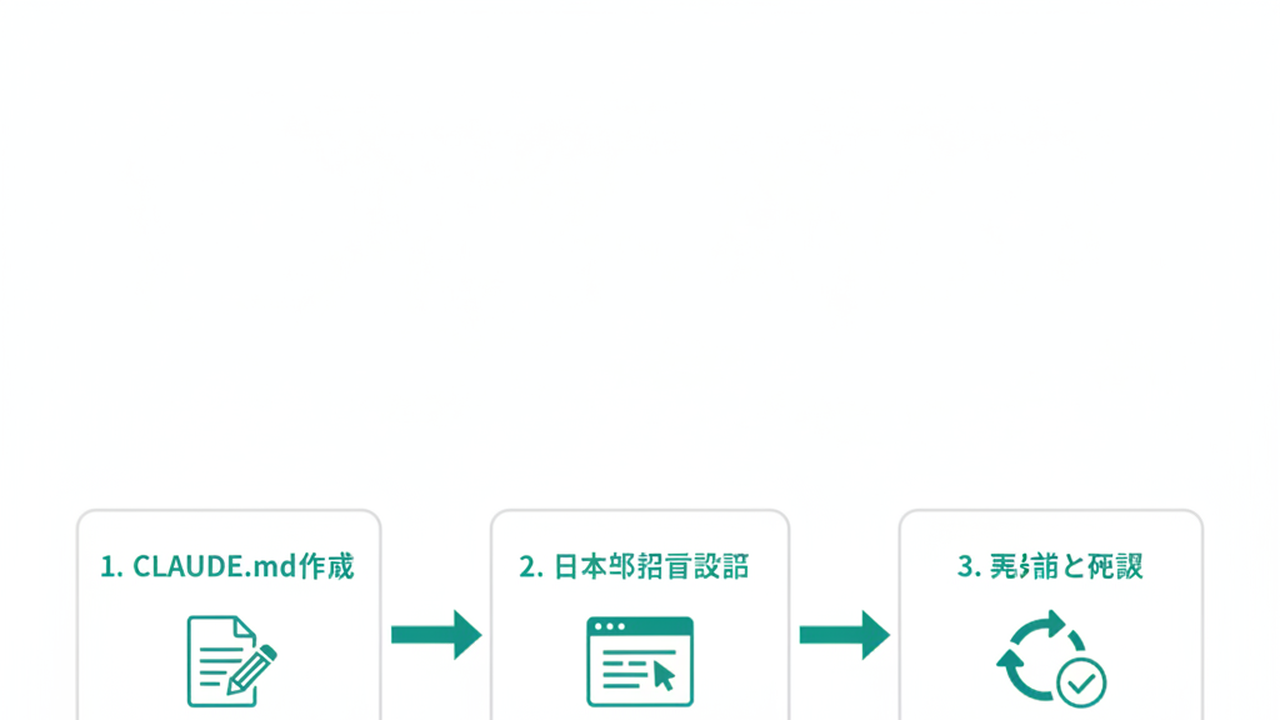
Step 1: Create a file named CLAUDE.md at the top of your project directory
In the folder where you’re running Claude Code (directly under the repository root), create a new text file named CLAUDE.md. The extension is .md; the content is ordinary Markdown.
Note: in addition to placing it at the project root (./CLAUDE.md), you can also place it inside a .claude folder within the project (.claude/CLAUDE.md) — both formats are officially supported. Either works, so if your existing project already has a .claude/ folder, matching that convention is fine.
For non-engineers who freeze at the word “repository”: it’s just the top-level folder where your files live.
Step 2: Write “respond in Japanese” in one line
At minimum, this is enough to make it work:
# Language settings

On this project, write all responses to the user and all in-code comments in Japanese.
That’s all it takes to lock response language to Japanese. This isn’t official specification, but in practice the imperative phrasing — “write in Japanese” — appears to drift less than softer expressions like “Japanese is preferred.” Soft phrasing occasionally causes wandering.
Step 3: Save, restart Claude Code, and confirm the effect
After saving, close the current Claude Code session and reopen it. CLAUDE.md is loaded at startup, so it won’t take effect in an already-open session.
In the new session, try asking “Please introduce yourself.” If the response comes back in Japanese, you’re done. The whole thing takes three minutes.
If it doesn’t seem to be working, check two things: first, is CLAUDE.md placed at the top level of the project? Second, is the filename entirely uppercase — CLAUDE.md, not claude.md? Lowercase filenames may not be picked up. I once wasted two hours because of this.
One common question: “Do I need to put CLAUDE.md in every project?” Yes, one per project. But the content can be copy-pasted — the second project and beyond take about 30 seconds each.
Another option: a global CLAUDE.md (~/.claude/CLAUDE.md) that applies across all projects. If you’re running everything in Japanese, placing a single file in the global location is easier to maintain long-term.
Three Reasons Parts Stay in English
“I configured it for Japanese — so why is this part still in English?” That’s another question I hear often. Bottom line: three categories stay in English. These are by design and can’t be changed through settings.
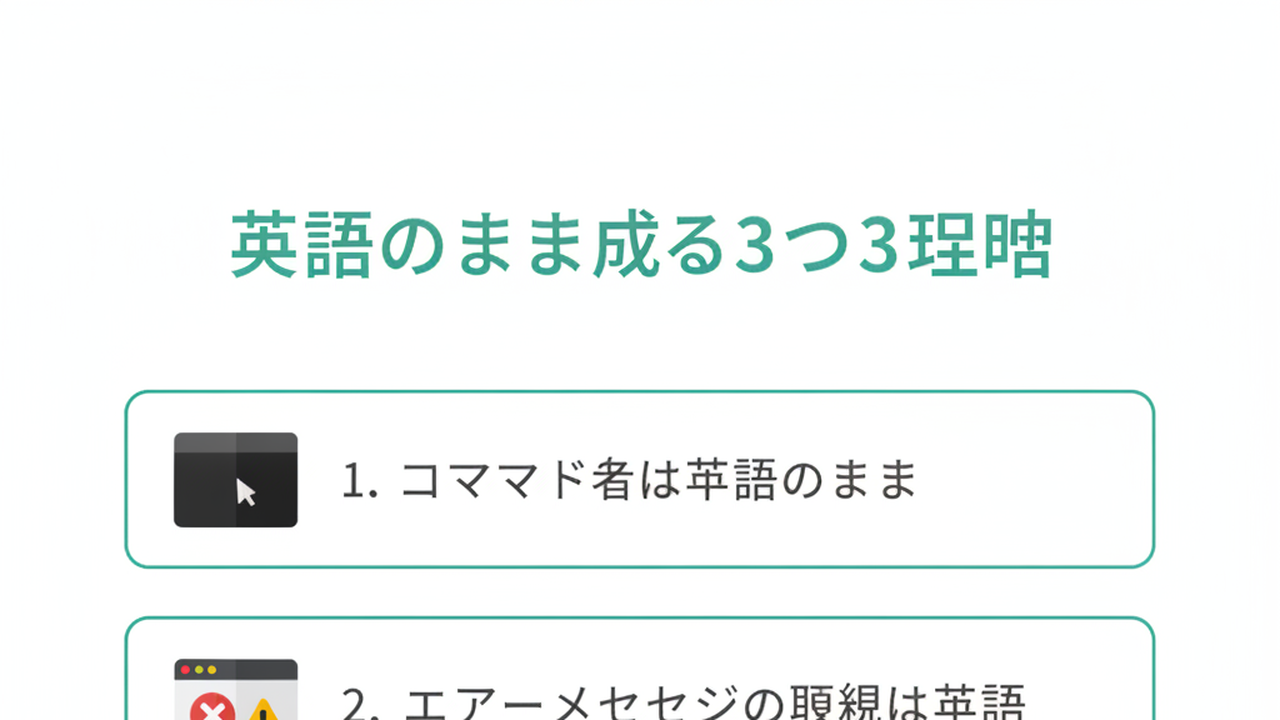
1. Command names stay in English
Built-in Claude Code commands like /help, /clear, and /init remain in English, as do some menu and button labels.
In practice, the number of commands you need to memorize tops out around five. It’s essentially no obstacle in real use.
2. Error messages come through in English
Errors from external tools — npm, git, Python or Node runtime errors — display in English because Claude Code isn’t generating those; it’s relaying output from external tools directly.
Here’s where an addition to CLAUDE.md pays off: write “when an error occurs, preserve the original message and summarize its meaning in Japanese.” After that, every English error message is followed by a Japanese explanation. Keep the original — don’t erase it.
3. Established technical terms stay in English
Terms entrenched in development workflows — “commit,” “pull request,” “branch,” “dependency” — translate poorly when forced into Japanese. Claude Code generally leaves these in English or renders them in katakana.
In my experience, forcing Japanese translations here makes the conversation harder to follow, not easier. “Dependency” is also far more searchable than “依存関係” when you need to look something up later.
3 Failure Patterns That Catch People After Configuration
This section gets ahead of the “huh?” moments that happen after you’ve set things up. These are patterns I’ve personally gotten stuck in, and it took time to get out.
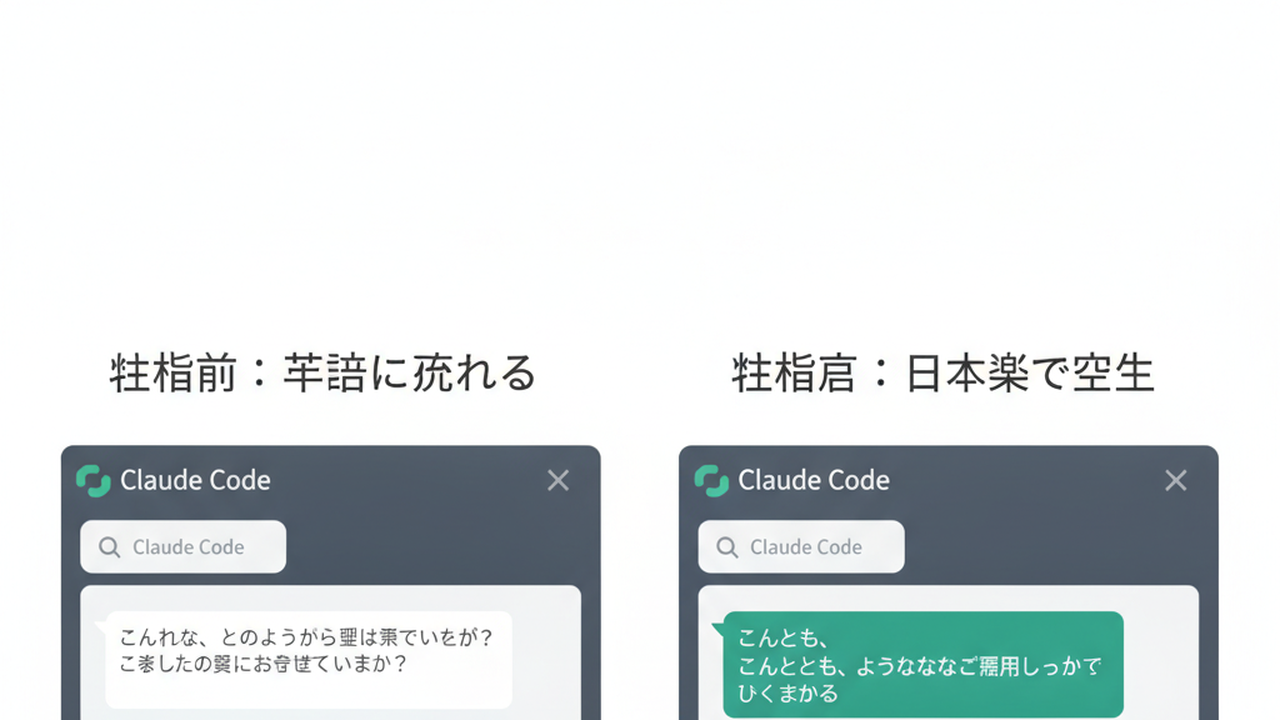
Failure 1: Responses suddenly flip back to English mid-session in long conversations
Even with CLAUDE.md in place, on long sessions there are moments where responses drift into English. The most common trigger I’ve seen in practice is “right after loading a large volume of English-language documents.”
The language of referenced files appears to pull responses toward that language (this is observational, based on hands-on experience — not an officially documented behavior). The workaround: after loading English documents, start your next instruction with “please continue responding in Japanese as well.” Low-tech, but it works.
It happens after pulling a lot of English content via WebFetch too. Getting in the habit of actively resetting is worth it for reducing friction.
In my case, after having Claude summarize five English-language papers in a row, the next response came back entirely in English — despite the CLAUDE.md instruction. My fix at the time was to cut the session and restart fresh. Not dragging out a long session indefinitely is itself a practical skill.
Failure 2: CLAUDE.md instructions conflict across projects
Bouncing between multiple projects can leave one with “respond in Japanese” and another with “respond in English.” Claude Code prioritizes the current project’s CLAUDE.md. But if the global config (~/.claude/CLAUDE.md) contains a different language instruction, things get confusing.
The fix: have language instructions in only one place — either global or project-level, not both. Writing it in both places makes it impossible to know which is taking effect. My rule: write in global, leave project-level blank. Override at the project level only for exceptions.
Failure 3: In-code comments still come out in English
Responses in Japanese, but generated code comments in English — this is a known pattern. It happens because the CLAUDE.md instruction only covers “responses to the user,” not code comments.
Add one explicit line to CLAUDE.md: “write all in-code comments in Japanese.” One line and comments shift too. If your codebase is maintained entirely by Japanese speakers, this is worth doing — the difference in comprehension speed when reading back later is significant.
That said: if overseas developers are part of your team or the project is open source, keeping comments in English may be the right call. Japanese comments in code are unreadable to non-Japanese speakers. Adjust by situation.
FAQ: 4 Fine-Grained Questions on Claude Code in Japanese
Q1. Is Claude Code fully Japanese UI?
Not fully. Some menus and commands remain in English. But in the sense that the actual conversation — your instructions and Claude’s responses — operates entirely in Japanese, calling it “usable in Japanese” is fair.
If you go in expecting “UI fully Japanized,” you’ll trip over command names. Setting the expectation upfront — “UI in English, conversation in Japanese” — prevents most stumbling.
Q2. Can English error messages be explained in Japanese?
Yes. Error messages themselves come out in English, but asking Claude Code “please explain this in Japanese” gets you a Japanese explanation. Add “when an error occurs, preserve the original message and summarize its meaning in Japanese” to CLAUDE.md and the explanation appears automatically without you having to ask each time. For non-engineers using Claude Code, this is the single highest-impact CLAUDE.md addition.
Q3. What’s the difference between Claude and Claude Code?
Claude is the chat AI accessed via browser or app at claude.ai. Claude Code is a developer-oriented tool that runs Claude from the command line, with the key difference being the ability to read and write files and execute commands. “Chatting with Claude” and “running a project with Claude Code” have meaningfully different purposes and feels — and different pricing. For a sense of Claude Code’s cost, see the separate piece on Claude Code pricing.
Q4. Can non-engineers really use it in Japanese?
They can. In some scenarios, non-engineers may actually have an advantage — because the intended way to use Claude Code is not “write code yourself” but “tell Claude what you want in natural language and have it write the code.” Japanese instructions work for that.
That said, the initial setup — running commands in a terminal — still requires following some English-language procedures. The separate article on how to use Claude Code walks through that first hour step-by-step in Japanese. Open it alongside as you set up.
For understanding what Claude Code can actually do, Claude Code: 8 Use Cases is also a useful reference, with 8 practical examples organized for non-engineers.
Summary: 3 Steps for This Week, Total Time 30 Minutes

This article ran long, but three points are all I want to leave you with.
- Claude Code works in Japanese. The official Japanese documentation is already there.
- For stable operation: create CLAUDE.md at your project root and write one line — “write all responses and in-code comments in Japanese.”
- Command names, raw error messages, and some technical terms stay in English. This is by design. Don’t fight it — working with it makes for a more durable setup.
Your three steps for this week:
- Step 1 (10 min): In your current project, create CLAUDE.md and write one line: “Write all responses to the user and all in-code comments in Japanese.”
- Step 2 (10 min): Copy the same line into any other active projects. If you’re running three or more, put it in all of them.
- Step 3 (10 min, weekend): After a week of use, note just one thing that came out in English anyway. Over the weekend, add “write this part in Japanese too” to CLAUDE.md.
30 minutes total. That handles 80% of Japanese-language operation. The remaining 20% is what’s actually better left in English — don’t force it.
Claude Code has already changed into a tool that operates in Japanese without requiring English proficiency. If “I can’t use it because I need English” has been the reason you’ve been holding back — that reason has one less leg to stand on, starting today.

AIを使いこなせない方は、この先どんどん差がつきます。僕はAIエージェントを毎日動かして、壊して、直して、また動かしてます。そういう泥臭い実践の記録をここに書いてます。理論は他の方にお任せしました。僕は動くものを作ります。朝5時に起きてウォーキングしてからコードを書くのがルーティンです。


