More MCP Tools Won't Make Claude Smarter — Microsoft's 3 Degradation Mechanisms
Adding more MCP tools makes AI slower and less accurate, not smarter. Microsoft's official analysis explains 3 degradation mechanisms. I cut from 15 to 5 MCPs and measured the difference — here's the 30-minute cleanup method.
What you'll learn in this article
- Where pricing and adoption questions around Claude Code stand right now
- Which plan or rollout stage fits the reader's situation
- Which follow-up article to open next for setup, cost, or bigger-picture context

There’s a moment when adding a new MCP makes you feel like your AI just got smarter. Claude Code does something it couldn’t yesterday, and you think: this is the right direction.
I believed that too. Two months into using Claude Code seriously, I had over 15 MCPs installed. Watching the list of things I could do grow — it genuinely felt good.
Then last week, Claude Code announced “I’ll open a browser to verify this” and froze for two minutes. The one line it returned: “I was unable to determine which tool to use.” Too many MCPs. It couldn’t decide what to call.
On June 14, 2026, ITmedia published an article based on Microsoft’s official guidance — the core message being that adding more MCPs doesn’t make AI smarter. The moment my gut feeling finally matched an official source.
By the end of this article, you’ll have three things ready for this weekend:
- A 15-minute checklist to audit your MCP stack
- The 3-question pruning framework, applied to your Claude Code config
- A 3-item anti-pattern list to avoid the traps I fell into
Why “More MCPs = Smarter AI” Feels True (Even When It’s Not)
Adding a new MCP makes new things possible. That part is genuinely true. The problem is the leap from “more capabilities” to “smarter” — it’s a feeling, not a fact.
Two months ago, my MCP setup: GitHub, Slack, Notion. Three tools. They covered 80% of my work. Claude Code’s responses were crisp, fast — nothing to complain about.
One month ago, I added Playwright, Stripe, SendGrid, Cloudflare KV, Vercel. Eight total. Every completed task I ran through the new MCPs added another data point to “glad I installed this.”
Two weeks ago: over 15. Supabase, Linear, Figma, Anthropic Workbench, Cloudflare R2, a custom daily report MCP. “Try it and leave it” had become my default operating mode.
Up to there, things genuinely were getting more capable — because right after you install something, you can see the new tasks it enables. The first few days, the “smarter” feeling is real and measurable.
The trap is that your sense of things stops at “the first few days.” Measure over the long term and a different curve appears: once my MCP count crossed a certain threshold, Claude Code started slowing down and making worse judgment calls.
Even someone like me — whose motto is “let’s just build the thing” — walked straight into this trap. It felt less like poor personal management and more like a structural property of how MCP works.
For what it’s worth, the first sign I noticed was this: I asked Claude Code to find the cause of a test failure. Previously it got there in 3–4 turns. Now it was taking 6–7. Each individual step was correct, but the growing turn count was quietly draining my focus. “Feels slow lately” — it took me a while to connect that to MCP count.
The 3 Degradation Mechanisms Microsoft Identified
Through ITmedia, I got to Microsoft’s official guidance. The degradation from adding more MCP tools was organized into three mechanisms. I don’t have the primary URL in hand, so I’m presenting this as “what was reported” — but the substance matched my own experience exactly.

Mechanism 1: Context Compression
An LLM receives each MCP tool’s “name, description, and argument spec” inside the system prompt. A single MCP can consume hundreds to thousands of tokens. Put in 15 and a significant chunk of context is eaten by tool definitions before you’ve said a word.
Measuring my own setup: with 15 MCPs, Claude Code’s remaining context sometimes dropped below 30%. In long sessions, actual work history was getting pushed out — not amnesia, but tool definitions crowding out the session.
Mechanism 2: Semantic Conflict
When multiple MCPs serve similar purposes, the LLM struggles to decide which one to call. The moment I installed both Notion and Google Docs, Claude Code started asking where to paste notes every single time.
A flow that used to be automatic became a perpetual choice. When “I’ll handle it” turns into “which one should I use?”, friction accumulates fast.
Mechanism 3: Wrong Tool Selection
Beyond a certain count, the LLM’s selection accuracy degrades. Microsoft’s guidance, as reported, indicated that “LLMs tend to miss the tail end of long tool definitions.”
In my case: a useful tool I’d installed 13th was genuinely never called when I needed it. “It’s there but never gets used” isn’t a bug — sometimes it’s a placement problem.
These three don’t operate independently. They compound. Context compression degrades selection accuracy; semantic conflict adds more confusion on top. The fastest way to break the loop is to limit the count on the way in.
Cutting from 15 MCPs to 5: What Actually Happened

“Let’s just build the thing” is still my core belief. On MCPs, it turned out “let’s just add the thing” backfired. Here’s what the reduction from 15 to 5 actually looked like.
First step: write out every MCP in my local environment on paper. The full list:
GitHub, Slack, Notion, Google Docs, Playwright, Stripe, SendGrid, Cloudflare KV, Cloudflare R2, Vercel, Supabase, Linear, Figma, Anthropic Workbench, custom daily report MCP. Even writing it out, I was a little embarrassed by the length.
Next: use Claude Code’s history to count which MCPs actually got called in the past month. The answer was 5. GitHub, Slack, Playwright, the custom daily report MCP, Linear. The remaining 10 had been installed, had records in my memory of being installed, and had been called zero times.
Those 10 “I might need this someday” MCPs were consuming context every session and showing up as noise in every tool selection. That was the reality.
After cutting to 5:
- Response speed: roughly 1.5× faster, by feel
- Tool confusion rate (times Claude Code asked “which tool should I use?”): down by about two-thirds
- Context remaining at mid-session: consistently above 60%
These are measurements from my local environment — your mileage may vary. But I believe the direction of improvement will hold. Don’t take my word for it: try it yourself for a week.
An unexpected side benefit: the config file got lighter. Getting out from under the maintenance load of 15 MCPs — version tracking, credential rotation — quietly gave me more time to write code.
A week after cutting, I noticed something else: Claude Code almost completely stopped “trying something and failing.” With 15 MCPs, it would announce “let me try this MCP” and whiff — about 3–4 times a week. After cutting to 5: essentially zero.
Fewer options means more precise AI behavior. I want to flag this as a personal observation, not a hard claim. But the possibility that “more MCPs = more confusion, not more freedom” is worth testing for yourself.
The 3-Question Pruning Framework: 30-Minute Weekend Checklist
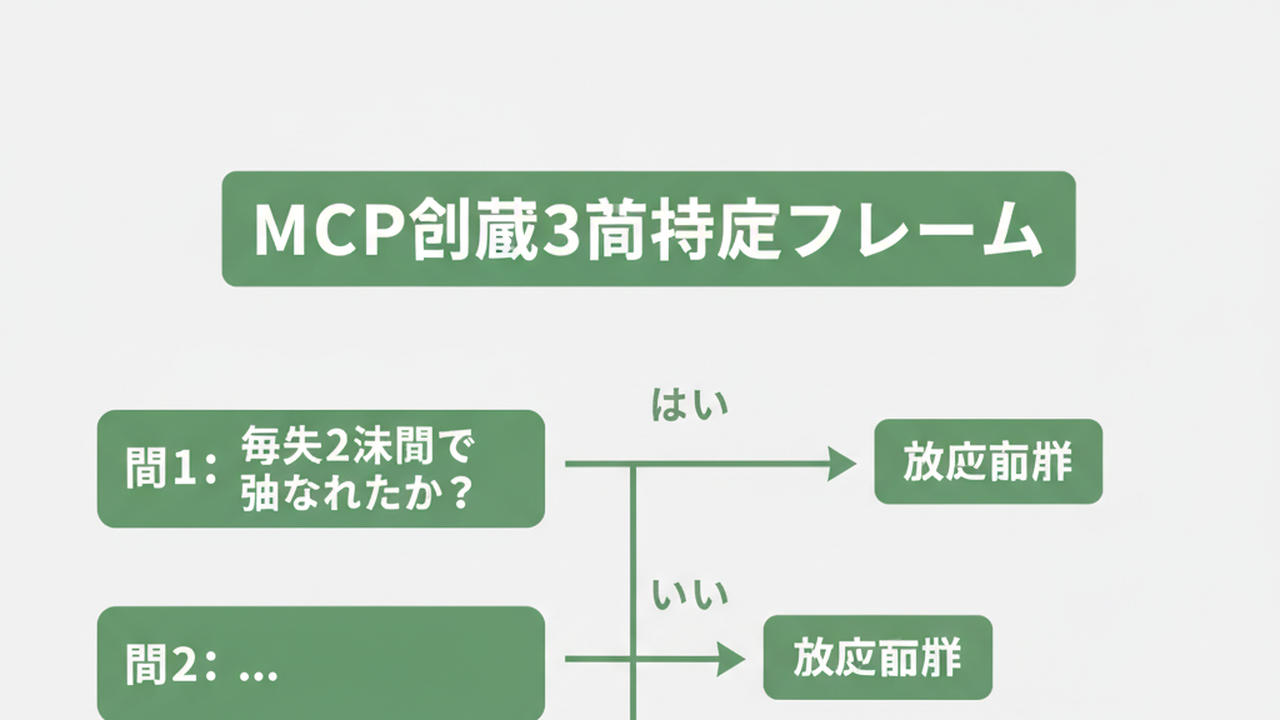
Here’s the practical part. Three questions that let you complete an MCP audit in 30 minutes over the weekend.
Question 1: How many times was this MCP called in the past two weeks?
In Claude Code, you can check call frequency via /cost or logs. Zero calls in the past two weeks → candidate for deletion. “I might need it someday” is a trap. If you truly need it again, reinstall takes minutes — let yourself cut with that in mind.
The act of counting calls also reveals the outline of your actual work. You’ll likely be surprised how many MCPs you’re not using.
Question 2: Can something else already do this?
Cloudflare KV MCP was convenient, but for my use case, curl and wrangler covered the same ground. If shell scripts or built-in Bash can substitute, you skip the MCP and save the context cost.
The key filter: keep only what absolutely requires MCP to do. Useful-but-not-essential tools can go.
Question 3: Does call frequency justify the token cost of the tool description?
A tool like Stripe MCP has a verbose description. If you’re calling it fewer than ten times a month, the per-call context cost doesn’t pay off — switching to “open the docs when needed” saves context long-term.
Use the questions in order: Question 1 gives you clear deletes; Questions 2 and 3 resolve the gray zone.
30-minute breakdown:
- 10 min: Pull the current MCP list from the config file; write it out
- 10 min: Apply the 3 questions; finalize deletion list
- 5 min: Remove entries from the config file; restart Claude Code
- 5 min: Verify with your 3–5 most-used tasks
Buffer included. One cup of coffee on a weekend morning.
In my earlier post on vibe coding tool selection — different criteria for prototypes vs. production, I looked at how to frame tool choices. The MCP audit runs on the same principle: “keep the one you use every day in production.”
3 Anti-Patterns to Avoid

Three anti-patterns I ran into while going from 15 to 5. Knowing them in advance could save you three hours.
Anti-Pattern 1: Installing every new MCP to “try it”
“Just try” installs with no follow-through will have you past 20 MCPs in six months. That’s how I got to 15.
Trying isn’t the problem. Trying and forgetting is. If you’re going to test something, set a “decide by next weekend” deadline and put a deletion date in your calendar.
Anti-Pattern 2: Deferring each deletion
“One more won’t hurt” is wrong about MCPs — they stack. Removing them one at a time won’t let you feel the improvement.
My experience: deleting 5 at once made the effect unmistakable. Clear, obvious improvement is what keeps the motivation to stay lean.
Anti-Pattern 3: Using the same MCP set across multiple LLMs
Running the same stack in Claude Code, Codex, and Cursor ignores each tool’s strengths. Claude Code handles structured tool definitions well; Cursor is strong on file operations. Sharing the set erases those distinctions.
My current split: Claude Code gets “design and implementation MCPs”; Cursor gets “file operations and refactoring MCPs.” Just that division lifted the quality of both.
Nagi’s article Claude Code: 8 Use Cases for Non-Engineers maps out what Claude Code is actually for. Once you’ve defined your own use case, the MCPs you actually need fall into shape naturally.
The Bottom Line: MCP Is About Design, Not Count
“Let’s just build the thing” is still my foundation. For MCPs, I’ve added an addendum: “let’s just cut the thing.”
As an engineer who’s hit walls before: in code design, adding everything “that might be useful” eventually makes things unmaintainable. MCPs have the same structural trap. The difference is that with MCPs, the failure mode isn’t “it stops working” — it’s “it gets quietly dumber.”
Three-line summary:
- MCP is a design tool, not a feature accumulator. Five well-chosen tools often outperform fifteen.
- Microsoft’s 3 degradation mechanisms (context compression, semantic conflict, wrong tool selection) are reproducible in your own environment.
- The 3-question audit this weekend will quietly make Claude Code faster. Measure your own response times after the restart.
Cutting MCPs isn’t “losing features.” It’s designing Claude Code to focus. Once I framed it that way, the psychological barrier to cutting dropped. Too many options confuse the AI — and the AI’s options are something we configure.
After cutting to 5, I felt like I had my own hands back. The 15-MCP Claude Code had been filled with “probably useful” additions that blurred its decision-making. The moment I cleared them, the AI’s responses fit my work again.
Try it this weekend. A 30-minute audit is a quiet upgrade to your development experience for the week ahead.

正直、一度エンジニアは諦めました。新卒で入った開発会社でバケモノみたいに優秀な人たちに囲まれて、「あ、私はこっち側じゃないな」って悟ったんです。その後はカスタマーサクセスに転向して10年。でもCursorとClaude Codeに出会って、全部変わりました。完璧なコードじゃなくていい。自分の仕事を自分で楽にするコードが書ければ、それでいいんですよ。週末はサウナで整いながら次に作るツールのこと考えてます。


