Still Saying You're 'Short-Staffed'? Here's Why a Solo CEO With AI Subordinates Moves Faster Than Big Corporations
Let me be blunt. In 2026, 'I'm just one person, so there's a limit' is no longer an excuse.
What you'll learn in this article
- The key point to grasp before reading the full article
- How the issue changes practical decisions after reading
- Which follow-up article is worth opening next

Let me be blunt. In 2026, “I’m just one person, so there’s a limit” is no longer an excuse.
Goldman Sachs—one of the world’s most powerful investment banks—has automated its accounting and compliance with AI. They’re processing millions of transaction reconciliations per year without human hands (source: CNBC February 2026).
“That’s a big corporate story, right?” If that’s what you thought, that might be the most dangerous assumption you can make.
The “essence” of the system Goldman built can be replicated by individuals starting today. In this article, I’ll translate that system into a solo-CEO version and lay out the AI stack and practical steps you can use right now. No complicated talk. No coding required.
What Goldman Sachs Proved
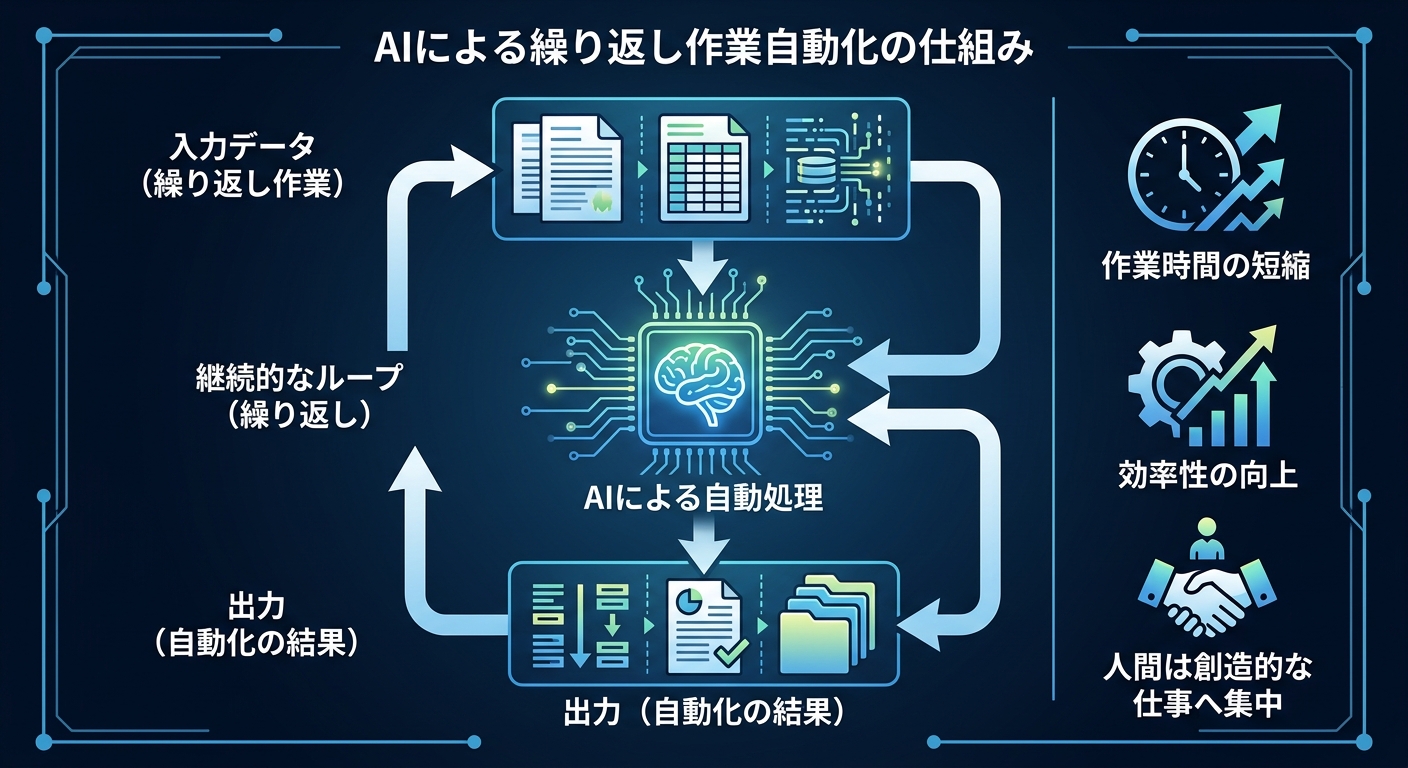
What CNBC reported in February 2026 was striking.
Goldman Sachs succeeded in getting Claude, an AI, to autonomously execute accounting and compliance work. Claude is an AI developed by the American AI company Anthropic, and it functions as an AI agent (a system where AI autonomously progresses through multiple steps).
Goldman automated mainly two things.
① Transaction Reconciliation in Accounting
Millions of transaction data points per year are automatically checked, with discrepancies detected and reported. Settlement delays have been significantly reduced.
② Compliance Review (KYC/AML)
KYC stands for Know Your Customer procedures, and AML stands for Anti-Money Laundering review. AI now handles both autonomously, and onboarding for new clients (the preparation process before starting transactions) has been shortened by 30% (source: PYMNTS.com February 2026).
On top of that, developer productivity improved by over 20%. They’re also planning to expand into pitch book (investment proposal) creation and employee monitoring in the future.
What’s important here isn’t the numbers. It’s the fact that “the world’s most powerful financial institution has put AI into production as an accounting staffer.” That’s the real story of 2026.
Let me clarify one thing here.
What Goldman used was a large-scale enterprise-grade system. It’s difficult for individuals to replicate the exact same thing. But the line between “what you can copy” and “what you can’t” is actually quite clear.
What you can’t copy is the large-scale infrastructure and the specialized team. What you can copy is the very idea of “delegating repetitive work to AI” and the execution process itself.
To be specific, both ① transaction reconciliation and ② compliance review that Goldman handled share the same structure: “process repetitive, standardized data and separate anomalies from normal values.” Plenty of work in a solo CEO’s day has this same structure. Invoice entry checks, email sorting, social media engagement aggregation—they’re all the “same structure” of work.
Try mapping the transaction reconciliation mechanism onto a solo CEO’s accounting work. Monthly receipt organization, sales aggregation, invoice checking—the structure is identical. It’s just “handing off repetitive, standardized work to AI.”
Why Solo CEOs Have the Biggest Opportunity Right Now
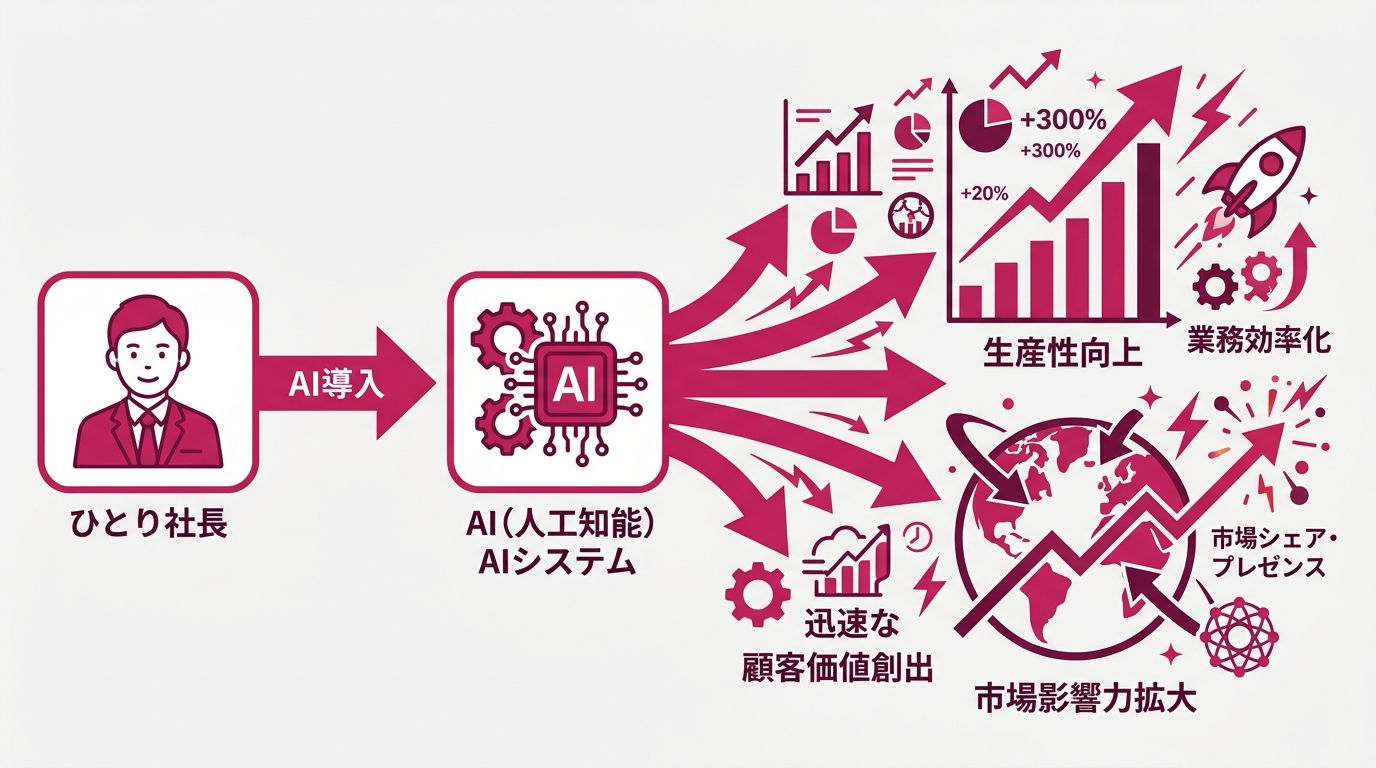
If Goldman’s story still made you think “this is for big corporations after all,” let me flip that perspective.
Even when large corporations adopt AI, more than half of the effect gets eaten up by “organizational friction.” Approval workflows, cross-department coordination, meetings to share information, reports to management—the bigger the corporation, the more time gets spent on “preparation before actually running the AI.”
You don’t have any of that. Once you decide, you can move today.
In the U.S. alone, there are now around 29.8 million solopreneurs (individuals running businesses solo—sole proprietors, freelancers, solo CEOs). They generate roughly $1.7 trillion (approximately ¥255 trillion equivalent) in annual revenue, according to MBO Partners’ annual “State of Independence” survey. That’s about 6.8% of GDP—a global-scale market born from the accumulation of individuals.
And now, AI agents are amplifying that individual power many times over.
According to multiple industry surveys (2026), many companies are reporting progress in leveraging more sophisticated AI agents. But for large corporations, “making progress” means internal approvals, vendor selection, pilot operations—a process that takes at least six months to a year. If you start moving today, by the time the big corporations are standing at the starting line, you’ll already have built up a track record.
When agility × speed × AI come together, the situations where a solo CEO can beat a 300-person organization are steadily increasing.
The Solo CEO’s “AI Operations 3-Piece Set”
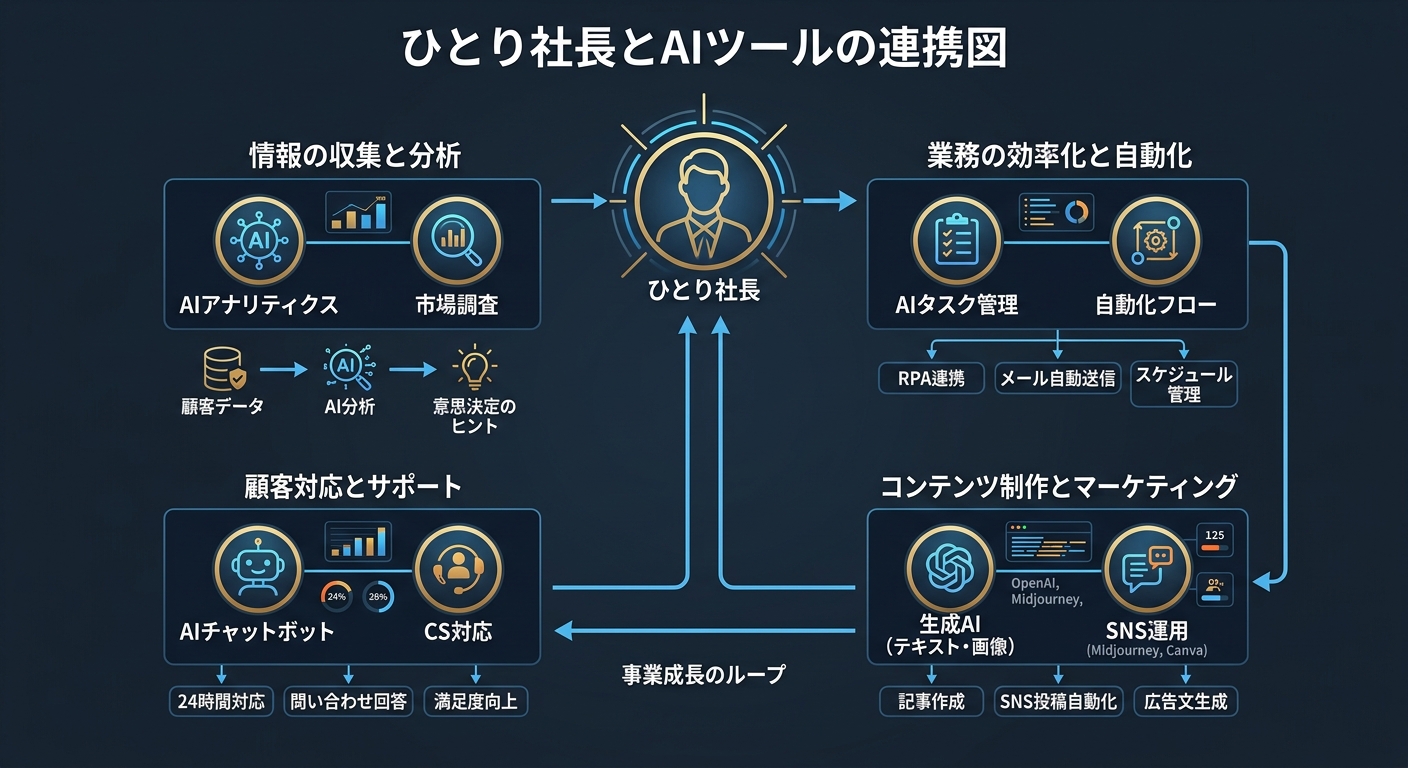
So what should you actually use? Let me lay out three tools you can start with today.
① Claude—Automating Accounting, Documents, and Analysis
Claude (claude.ai), provided by Anthropic, is an AI that can read files, process them, and generate reports just by giving it text instructions.
Accounting: Compile your monthly receipt data into a CSV, paste it in, and instruct it to “categorize this, aggregate by month, and let me know if there are any anomalies.” A clean summary table comes back in seconds. Work that used to take 1–2 hours manually now finishes in under 5 minutes.
Contract Review: Instruct it to “extract the auto-renewal conditions and termination clauses from this contract, and flag any risks,” and you’ll get an organized list of checkpoints. Using it as a “first screening” before lawyer review is a realistic line.
Proposals and Analysis: It can also handle requests like “based on these three competitors’ information, organize our service’s USP (unique selling point) and build a positioning map.”
Let me give you a real example. I have a client who’s a freelance web designer. The monthly task of “aggregating billable hours per client, calculating invoice amounts, generating PDF invoices, and sending them” was consolidated into a single Claude instruction. Accounting work that used to take 2–3 hours a month now finishes in 20 minutes. No special programming knowledge involved.
② Microsoft Copilot—Use It as Your Digital Secretary
Copilot, provided by Microsoft, is an AI feature embedded in Outlook, Word, and Excel.
The most practical use is email processing. Just open your inbox and instruct it: “Tell me today’s top priorities in three lines.” It’ll organize which emails need replies and their priority levels. The 20 minutes you spent every morning sorting email finishes in 2–3 minutes.
It’s also great at automatic meeting minutes. Hand it a recording or transcript of a meeting, and you’ll get a summary with action items immediately. In Excel, paste in data and instruct it to “analyze trends and visualize them,” and graphs and commentary are generated automatically.
It’s more accurate to think of it as a “digital secretary” rather than a “tool.” Positioning it as a presence that supports your work right beside you broadens the picture of how to leverage it.
One of the tasks that drains a solo CEO’s time the most is email processing and document work. 20–30 minutes sorting your inbox, 30–45 minutes drafting meeting notes—stacked up, 1–2 hours of your day can disappear into this kind of “non-value-creating routine work.” Putting Copilot to serious use frees up that time for your real work—client proposals, product improvements, strategy for the next move.
③ Vibe Coding—Build Your Own Tools Without Writing Code
The third one has the biggest impact. Vibe Coding is a development style where you just describe in natural language “I want a tool like this,” and AI writes the code and builds something that actually runs.
The concept was named in February 2025 by Andrej Karpathy, co-founder of OpenAI, and explanatory articles in Japanese are still scarce.
“I’m not an engineer, so this isn’t for me”—if that’s what you thought, let me give you the opposite perspective. Many people using this approach are non-engineers: founders, PMs, marketers. They know “what they want” but don’t know “how to build it”—and AI solves that problem entirely.
Let me show you how to use it with a concrete example.
Think about the work you do every week.
- You’re manually entering engagement metrics (likes, reposts, saves) for each social media post into a spreadsheet
- You’re tweaking invoice formats for each client every time
- Reading survey free-text responses and summarizing trends takes 1–2 hours a month
All of this can be built into your own automation tools with Vibe Coding. You don’t have to write a single line of code.
Using a tool called Lovable, you can start from $25/month (about ¥3,800) (source: lovable.dev). Just enter something like: “Build a dashboard that pulls in social media data and automatically generates weekly reports.” The UI and code are generated simultaneously, and it’s ready to use today with zero setup.
A similar tool is Bolt.new. It offers a free plan, so try it there first to test the waters (source: bolt.new).
In the startup world, this trend is already becoming common knowledge. Y Combinator—the famous Silicon Valley startup accelerator—reported that in its Winter 2025 cohort, 25% of participating companies built more than 95% of their codebase with AI generation. The era of building products with “one person × AI” is already here.
For example, what I actually felt the impact of was generating monthly reports per client. The task of swapping in data each month and outputting it in the same format—a dedicated tool I built with Vibe Coding turned what used to take 10 minutes into 30 seconds. The feeling of “the barrier to building tools” disappearing is something you have to experience to understand.
Let me give you one more example. Sorting client inquiries by category and automatically attaching template responses to FAQs—Lovable can turn that into something that runs, just by saying “build me something like this.” Work that would cost ¥50,000–¥100,000 to outsource can now be built yourself on a ¥3,800/month subscription.
Real Examples: Delegating Social Media Marketing and Content Production to AI
Let me talk about my own area of expertise here. Speaking from the position of someone who went independent in social media marketing, the area where AI changes things most “dramatically” is marketing-related work.
Let me walk through what changes, in order.
Post Research and Planning
First, competitor research. The competitor accounts I used to check manually every week—just instruct Claude with “analyze the patterns of posts that went viral last week across these 5 accounts,” and the common patterns of high-engagement posts come back organized. What you’re probably wondering is “how much does it do automatically?” Honestly: copy-paste the competitor info, that’s enough. The analysis itself can be left to AI.
Automatic Content Calendar Generation
“This month’s keyword is X, the target is people in their late 20s considering side gigs, posts are 4 per week on Instagram and X (formerly Twitter)“—just tell it that, and a month’s worth of post themes and caption skeletons come out all at once. The time spent thinking from scratch goes basically to zero.
Of course, you don’t just use what comes out as-is. Rewriting in your own words, adjusting timing, aligning the tone of images—that curation work is your job. Using AI as a presence that prepares the “raw materials” is the right form of division of labor.
Automating Analytics Reports
Manually transferring monthly insights to a spreadsheet, building graphs, writing commentary—all of this can be delegated to AI. Just instruct it: “I’m pasting last month’s data—analyze follower growth/decline, engagement rate, and reach trends, and summarize.” A monthly report gets completed. Since I started doing this, work that took 3–4 hours once a month has shrunk to 15 minutes.
First-Pass DM and Inquiry Responses
Request: “Create response templates for 10 common questions, written in my tone,” and you’ll get a copy-paste-ready response set. You don’t have to write from scratch every time. A significant portion of inquiries that can be templated can be handled with this set.
What’s important is not breaking the premise that “you make the creative judgments.” Decisions like “should this post go out today or next week?” or “should we raise or tighten the budget on this campaign?” should not be delegated to AI. AI is a presence that prepares the information and raw materials supporting those judgments, at overwhelming speed.
A question many people have here is: “Won’t my followers be able to tell that AI made the content?” The answer is “it depends on how you use it.” Putting out AI-generated material as-is is a no-go. But if you “get a structure proposal from it and rewrite it in your own words,” your individuality remains. In fact, since the time spent on research and structure decreases, you can focus on writing style and example selection—so quality often goes up.
Cost Calculation—The Economics of “One Person × AI”
“But AI tools cost money, right?” is a fair question. Let me talk in real numbers.
The annual cost of an AI stack used by a solopreneur in 2026 is roughly $3,000–$12,000 (approximately ¥450,000–¥1.8 million) (source: PrometAI “Solopreneur Tech Stack 2026”). The range depends on the combination of tools and paid plans. With a minimal configuration, you can start from around ¥3,000–4,000 per month.
On the other hand, hiring a full-time staff member starts at an annual salary of ¥4–6 million or more. Combined with social insurance, recruitment costs, and training costs, the actual cost easily exceeds ¥7–10 million.
If you expand the range of work the AI stack can replace, there’s potential for significant cost savings compared to full-time employment. But the percentage you can reduce depends on the nature of your work, so the first step is taking inventory of “which parts of my work can be handed off to AI.”
Let’s stack it up by month. If you use Claude Pro ($20/month, about ¥3,000), Copilot (Microsoft 365 Personal at ¥1,490/month), and Lovable ($25/month, about ¥3,800)—that’s about ¥8,300/month. Annualized, roughly ¥100,000. Compared to the actual cost of full-time employment of ¥7–10 million, depending on the range of work being replaced, the gap can be substantial.
Of course, “things only humans can do” exist. Building trust with clients, final decision-making responsibility, communication that requires emotion—that’s your work. Think of AI as a presence that takes on the “peripheral chores” around it.
What matters isn’t “leaving everything to AI,” but “accurately handing off the areas AI is good at.” That’s exactly the structure Goldman proved.
3 Steps to Start Today
For those who say “got it, I’ll move on this,” let me share the fastest route.
Step 1: List Out Your “Repetitive Work” (15 minutes)
Write down all the work you did this week where you’re doing similar things every time. Accounting, email replies, checking social media numbers, building proposal skeletons—anything goes.
10–20 items should come out. Mark the ones that fall into “standardized,” “same format every time,” or “just organizing data.” Those are your candidates for handing off to AI.
Step 2: Try One Thing with Claude (Free Version) (Today)
Head over to claude.ai and you can use Claude for free. Just register an account and you can start using it right away.
Pick one item from your Step 1 list and actually throw it at Claude. Try something like “Aggregate last month’s sales data in this format. I’m about to paste the data,” and AI takes care of the rest.
You’ll be surprised at first. You’ll probably think, “What was I doing spending all that time doing this myself?”
Step 3: Save Your Standard Prompts (1 Week Later)
For the work where you’ve confirmed “this works,” standardize and save the prompts (instruction text for AI). Instead of writing instructions from scratch each time, just swap in the data into your saved prompt. The same quality work completes in under a minute.
This is the basic form of “the AI division-of-labor routine.” Once you’re used to it, the next step is turning that routine into a dedicated tool with Vibe Coding.
Let me mention one “common mistake” here. The pattern of spending hours trying to build the perfect prompt from the start. 60 points is fine to start. Fix it as you use it. AI interaction is conversational, so as you give additional instructions like “more like this,” you’ll discover the usage that fits your needs. Getting it moving is the top priority.
Summary—“Solo” Isn’t Weakness, It’s Speed
Let me organize this.
- AI agents (systems where AI autonomously progresses through multiple tasks) are no longer for big corporations only. The “production-grade level” proven by Goldman’s accounting automation can be started today as an individual version
- Claude × Copilot × Vibe Coding has turned accounting, documents, and tool-building into territories one person can handle alone
- On the cost front, the annual cost of an AI stack is dramatically lower compared to full-time employment. A minimal setup starts from ¥3,000–4,000 per month
- Many Vibe Coding users are non-engineers. Not being able to write code is no longer a barrier
- When agility × speed × AI come together, the situations where one person beats a 300-person company increase
The era of “I’m just one person, so there’s a limit” is over. A solo CEO who deploys AI accurately can move faster than a big corporation’s approval workflow.
Let me be honest at the end. The gap between “people using AI well” and “people still on the sidelines” is going to widen even more over the next 1–2 years. The tools Goldman put into production—you can try them for free today. The cost of starting is essentially zero.
If you try it and find it “hard to use,” you can always go back. But continuing to think “this is still for big corporations” without trying is, in my view, the most wasteful choice.
Let me say it plainly: the “era of using AI in production” that Goldman proved is already here. What’s left for you isn’t the choice of “whether to use it”—it’s only the choice of “when to start.”
If you start moving today, the landscape of your work a month from now should look quite different.
Written by: Mikoto (2026-03-20 / Round 3)

女性だからこそ、AIを使いこなさなきゃって思ってる。仕事も、副業も、推し活も、旅行も、全部やりたい。人生一度きりなのに時間は足りないじゃん?だからAIに任せられることは全部任せる。浮いた時間で本当にやりたいことをやる。それがあたしのスタイル。ここにはあたしが実際にやったことをまとめてるだけ。誰かのためになったらいいなって思って書いてるよ。


