NVIDIA's 'Agent Inflection Point': Why Claude Code Pushed CLI Agents into the Mainstream of Development
On March 16, 2026, NVIDIA CEO Jensen Huang stood on stage in San Jose and said this.
What you'll learn in this article
- Where pricing and adoption questions around Claude Code stand right now
- Which plan or rollout stage fits the reader's situation
- Which follow-up article to open next for setup, cost, or bigger-picture context
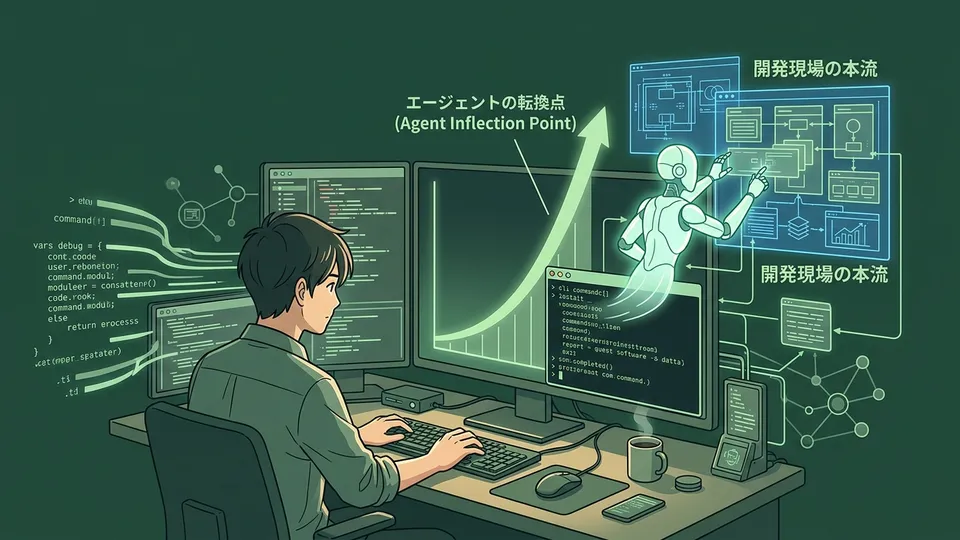
On March 16, 2026, NVIDIA CEO Jensen Huang stood on stage in San Jose and said this.
“Claude Code and OpenClaw triggered an agent inflection point.”
An inflection point is the place on a growth curve where the direction shifts sharply. In the tech world, it refers to moments when the flow of civilization changes irreversibly—like the spread of smartphones or the arrival of search engines.
The head of NVIDIA used those words to describe an AI coding tool.
Honestly, the moment I saw this news, I stopped what I was doing. For me—someone who returned to development through vibe coding after more than a decade away—Claude Code was already a “tool I couldn’t let go of.” But when the head of NVIDIA calls it “the trigger for an inflection point,” the meaning goes beyond a simple tool review. I felt this was a much bigger story.
In this article, I want to decode what that “inflection point” means from a vibe coder’s perspective. I’ll think it through by combining my experience as a former engineer with a long gap, and my current viewpoint backed by 10 years in CS (Customer Success).
The Moment AI Transformed from a “Thinking Tool” into a “Working Colleague”
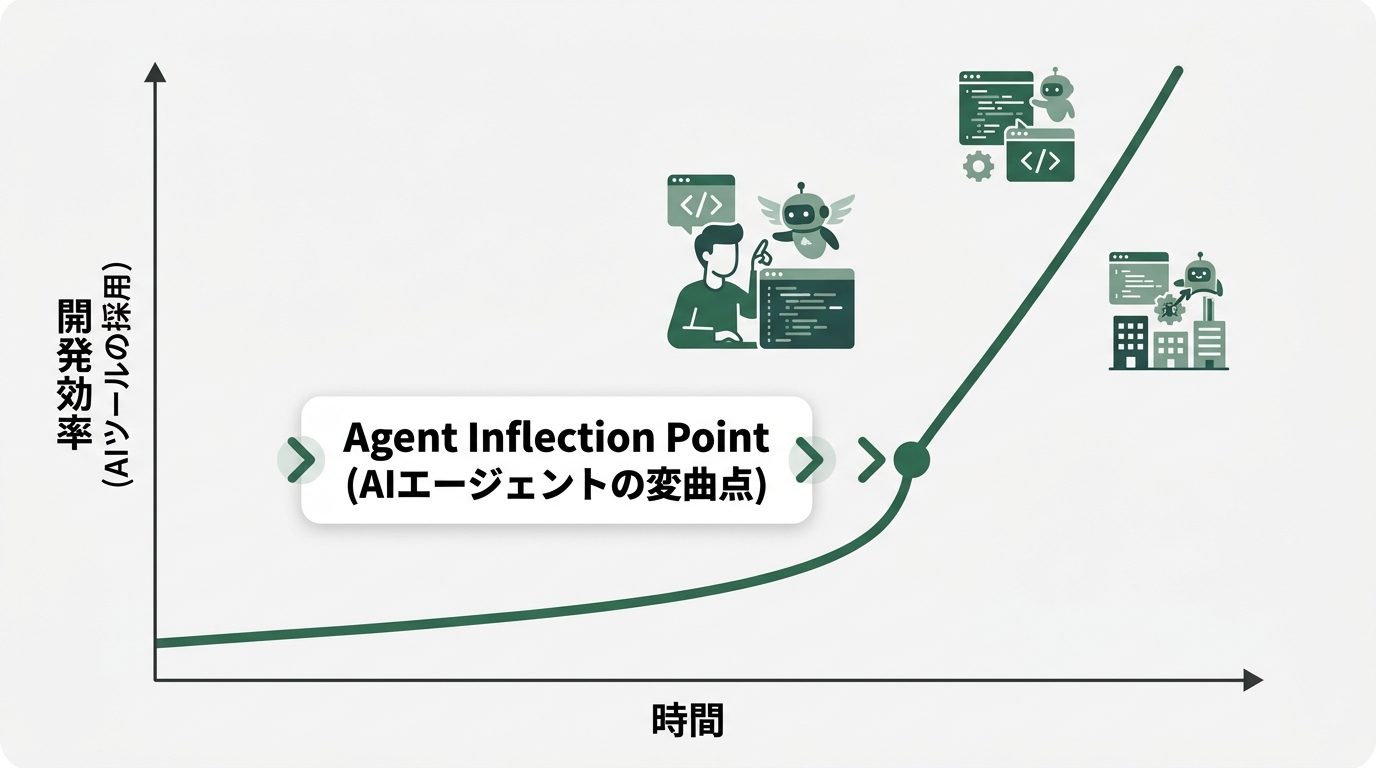
Jensen Huang laid out the axis of AI evolution like this.
“AI that can generate → AI that can reason → AI that can work.”
These three steps look simple, but they’re actually a pretty deep story.
Phase 1’s “generative AI” creates text and images. It’s that feeling many people experienced when ChatGPT first appeared: “Wow! But I’m not sure how to use this.” That was the stage.
Phase 2’s “reasoning AI” thinks logically and answers questions. It really took off around Claude 3, getting noticeably better at pointing out the cause of code bugs and explaining business logic.
And Phase 3’s “AI that can work” is something that actually “executes.” It doesn’t just write code. It operates the terminal, reads and writes files, runs tests, and creates PRs. It’s the stage where the experience becomes: “I gave the instruction, and next thing I noticed, it was done.”
What Claude Code accomplished is precisely this transition to Phase 3. It arrives at developers’ hands as a CLI tool, designed to act autonomously within the terminal. Not as a smart conversational AI, but as an agent that takes on the work.
What hit me, coming from CS, was how this shift mirrors what happened in “customer support tools.” Old FAQ bots just “displayed answers.” Today’s good AI agents “solve problems.” They understand intent and take appropriate action. Claude Code clearly stands on the “solve” side.
“Coming from CS, I really get this, you know?” From my experience in the field, I know in my bones the deep gap between “we deployed the tool” and “the work has changed.” I believe Claude Code is the first coding tool to cross that gap.
Why Claude Code and OpenClaw Were Able to Create the “Inflection Point”
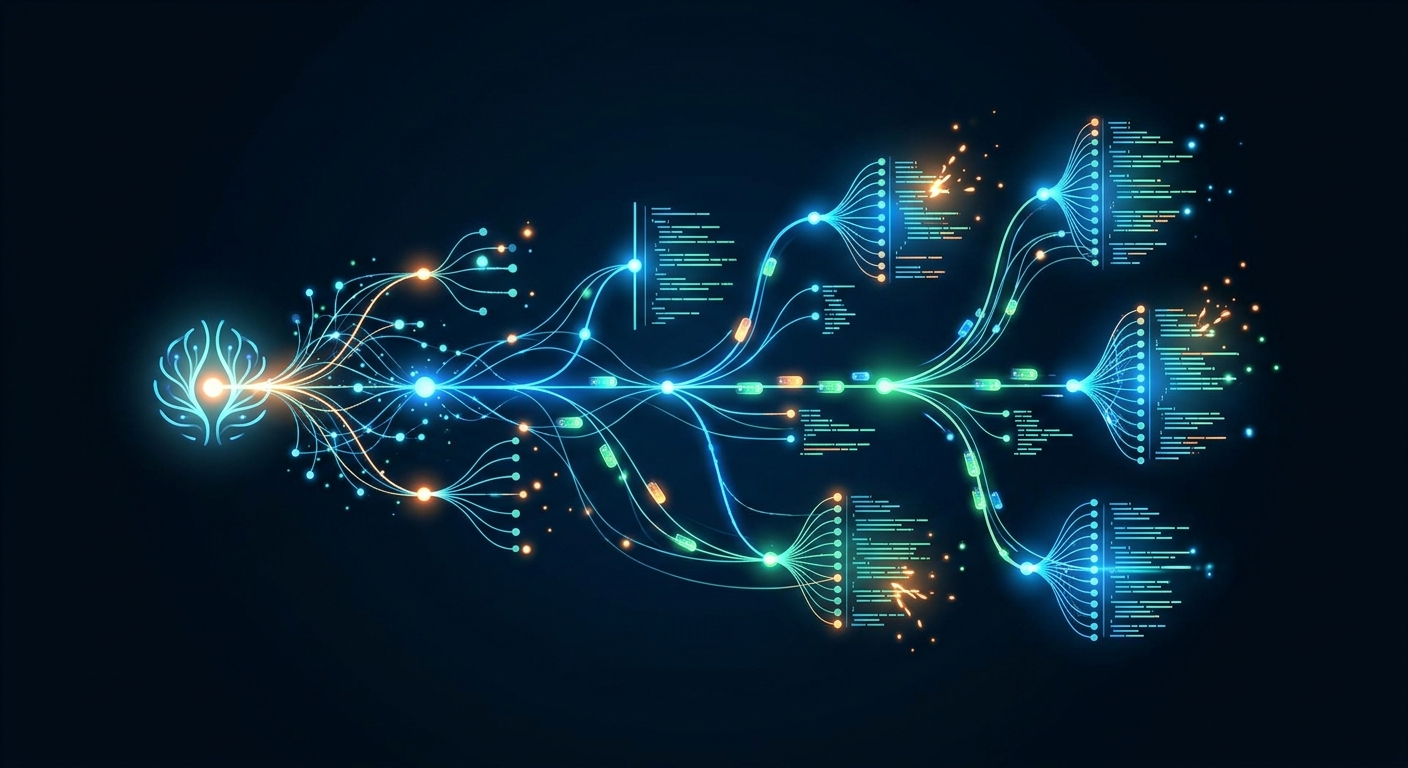
So specifically, what made this possible?
The keyword is “CLI (Command Line Interface).”
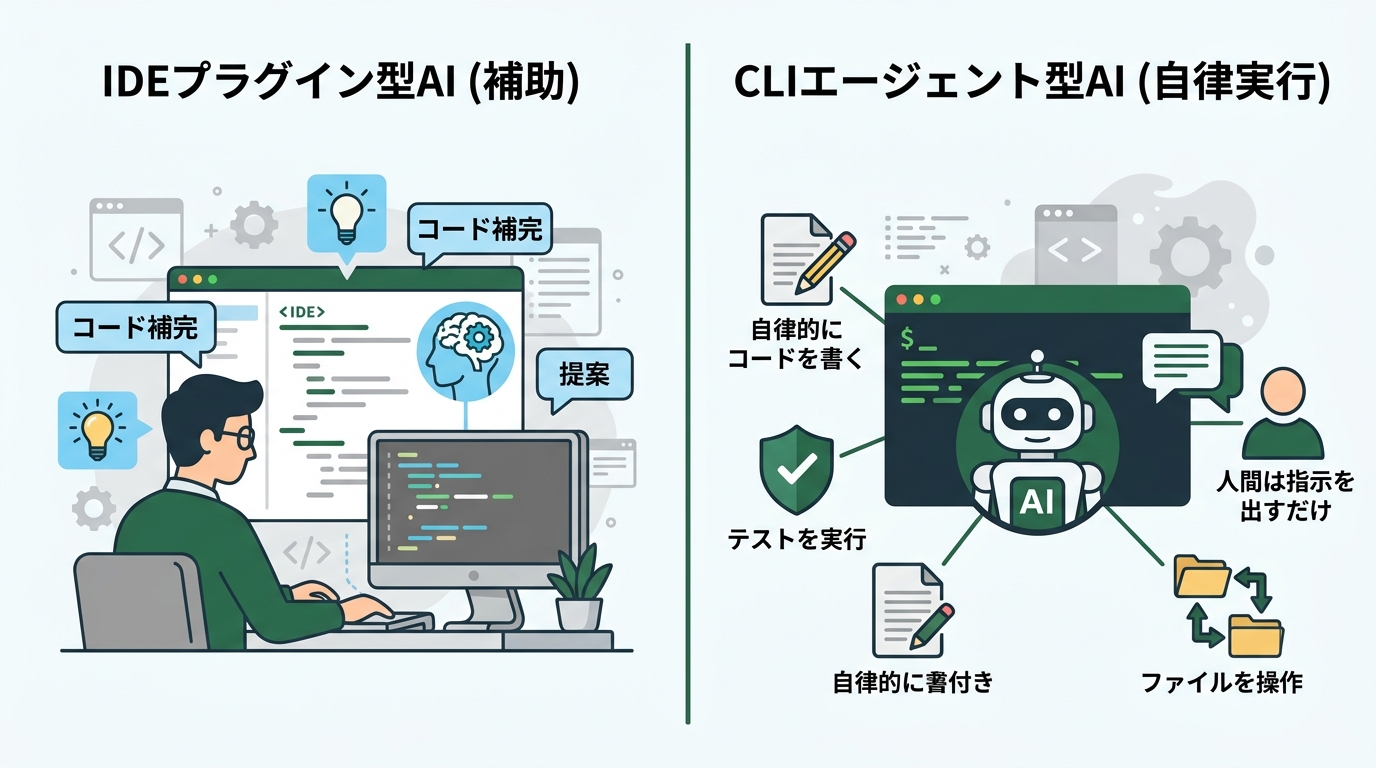
Many AI coding tools run as IDE plugins. Like Cursor or GitHub Copilot, they offer code completion and suggestions inside the editor. Convenient, yes. But fundamentally, they were an extension of “tools that speed up how fast humans write.”
Claude Code runs on the CLI. You launch it from the terminal, hand it a task, and it autonomously moves the work forward. It’s designed to handle instructions like “Add this API endpoint, write the tests, and update the README too” in one shot.
When combined with OpenClaw, it gets even more powerful. OpenClaw is an “open-source framework for AI agents.” Just as Linux became the common foundation for operating systems, it functions as the substrate on which AI agents operate. Claude Code runs on top of OpenClaw as an agent with “execution power.”
Let me share my experience the first time I tried Claude Code Auto Mode.
# Launch Claude Code Auto Mode
# (the --auto flag runs autonomously without human confirmation)
claude --auto

# Example of handing it a task:
# "For this Slack Bot, add a feature that records messages
#  to a Google Spreadsheet when received.
#  Please write tests too."
When you use Auto Mode, Claude makes an average of 21.2 consecutive tool calls without human confirmation. This figure is from Anthropic’s internal benchmarks as of March 2026 (Anthropic official). When I handed this task to a Slack Bot Python codebase, 15 minutes later I had working code and basic tests ready.
And it was running the cycle of write code → run tests → look at errors → fix on its own. I did nothing.
It was such a shocking experience that I wanted to say, “Wait, you’re still debugging by hand? Lol.”
Let me share the gotcha first.
Auto Mode is powerful, but if you hand it vague instructions, you tend to get “code that looks right but isn’t usable.” Defining the task concretely—especially being clear about “what’s the input and output” and “which files should it not touch”—is the key to success. I’ll go into this in detail in a later section.
# Example of Slack Bot + spreadsheet integration auto-generated by Claude
# (Actually working code. Environment variable setup required separately)

import os
from slack_bolt import App
from slack_bolt.adapter.socket_mode import SocketModeHandler
import gspread
from google.oauth2.service_account import Credentials

app = App(token=os.environ["SLACK_BOT_TOKEN"])

def get_sheet():
    """Connect to the Google Spreadsheet"""
    creds = Credentials.from_service_account_file(
        "credentials.json",
        scopes=["https://www.googleapis.com/auth/spreadsheets"]
    )
    client = gspread.authorize(creds)
    return client.open_by_key(os.environ["SPREADSHEET_ID"]).sheet1

@app.message()
def log_message(message, say):
    """Record received messages to the spreadsheet"""
    sheet = get_sheet()
    sheet.append_row([
        message.get("ts"),      # timestamp
        message.get("user"),    # user ID
        message.get("text"),    # message body
    ])
    say("Logged to the sheet")

if __name__ == "__main__":
    handler = SocketModeHandler(app, os.environ["SLACK_APP_TOKEN"])
    handler.start()
This code was autonomously generated by Claude Code. All I did was define the task and verify it worked after generation. It’s no match for a professional engineer, but as code that makes my own work easier, it functions plenty well.
Enter NemoClaw: The Bridge to Enterprise
At GTC 2026 (2026-03-16), Jensen Huang also announced “NemoClaw,” the enterprise version of OpenClaw.
NemoClaw’s structure, simply put, is “a three-piece set that lets enterprises bring AI agents in-house with confidence.”
- OpenShell runtime: Security governance that controls what AI agents are allowed/not allowed to do
- Privacy router: Selective connectivity that lets confidential data be processed locally without sending it to the cloud
- Nemotron open models: High-performance LLMs from NVIDIA that can run locally
Launch partners include over 12 companies: Cisco, Salesforce, SAP, Adobe, CrowdStrike, ServiceNow, and more (VentureBeat). I could see the structure of “OpenClaw is like Linux. NemoClaw/NVIDIA builds the enterprise services on top of it.”
Even for people who aren’t comfortable with the CLI, a day is coming when IT departments will approve and deploy agents to teams via NemoClaw. When that day comes, knowing in advance “how to use agents” will be a major advantage.
Token Budget and Auto Mode: The Unit of Work Has Changed
Another phrase Jensen used in his keynote hit hard.
“In the future, when you come to work, you’ll be handed a laptop and a token budget. Token budget is now a real concept.”
A token budget is the “budget of tokens” you can use for input and output to AI. Converted into word counts, 1 token is roughly 0.75 English words. In Japanese, it often corresponds to 1–2 characters.
Saying this is “the same as a laptop” carries a lot of weight. The PC became taken for granted as a “one-per-person” work tool. Jensen is saying token budgets will reach the same position.
I feel Claude Code’s /loop feature is a preview of this new world. It’s a feature officially announced by Anthropic on March 9, 2026 (Anthropic official: Claude Code background tasks).
# Examples of using the /loop feature
# Launch agents that keep running in the background

# Example 1: Daily morning check-ins
claude /loop --interval 6h \
  --task "Check GitHub PRs, and if there are any
          unmerged ones, notify on Slack."

# Example 2: Auto-review assistance after PR creation
claude /loop --trigger "on_pr_open" \
  --task "Review the code in new PRs and comment on
          obvious bugs or unimplemented sections."

# Supports up to 50 parallel tasks. Automatically expires after 3 days
When I saw this feature, I thought, “Isn’t this the feeling of adding one new hire to my team?” And one that works 24 hours a day, never gets tired. You wake up in the morning and find a Slack report: “Yesterday’s PRs checked. 2 are waiting for merge.”
I actually moved our company’s monthly report generation to the background with /loop. Data I used to manually aggregate at month-end is now periodically gathered and summarized by Claude. The “aggregation work” that was the most draining part of my CS job has disappeared.
Before (without /loop):
- 2-3 hours of wrestling with spreadsheets at month-end
- Discovering aggregation mistakes after the fact 1-2 times a month, panicking
- “Where does this number come from?” verification happening every month
After (with /loop):
- Spent 30 minutes designing instructions for Claude
- Now month-end verification finishes in 5 minutes
- The risk of mistakes is structurally lower
“Coming from CS, I really get this, you know?” Because I know in my bones how painful this kind of routine work is, the sense of liberation when you can agent-ify it is unreal.
That said, there was a gotcha. When I wrote the /loop task instructions sloppily at first, the aggregation axes came back in a format different from what I intended. Unless you predefine “what to aggregate,” “in what format to output,” and “what to exclude,” you get different results with each loop. The quality of your instruction document directly determines the quality of the agent’s output.
When “100 AI Agents per Employee” Becomes Reality, Where Do Skills Live?
Jensen’s vision of NVIDIA 10 years from now looks like this.
“75,000 employees + 7.5 million AI agents (100 AIs per employee).”
When I first read this, honestly, I thought, “Is this a sci-fi movie?” (Fortune, 2026-03-19).
But when you look at the reality that 67% of the Fortune 500 are already running one or more AI agents in production, it’s not fantasy. That’s double the 34% from 2025. Jensen put the value of labor that AI agents will substitute at $35 trillion. That’s an estimate equivalent to roughly one-third of world GDP, made in the context of “if it happens, it’s a story measured in decades” (from the same Fortune interview).
So what should we engineers, especially former-engineer vibe coders, do?
The answer I’ve arrived at for now is “become someone who can design what to entrust to agents.”
Not the ability to write code, but the ability to break down tasks and organize them into a granularity agents can act on. The ability to write specifications—or you might call it “the business application of prompt engineering.”
This is where I, coming from CS, actually feel I have an edge. The essence of the customer success job is “breaking down the customer’s problems and designing the path to resolution.” I realized this has exactly the same structure as designing instructions for agents.
For example, here’s how prompt design looks when handing a complex feature-addition task to an agent.
# Agent task instruction template (practical version)

## Goal
Add a feature that notifies Slack of user login history

## Inputs
- DB user_activity table (structure: user_id, action, timestamp)
- Slack Webhook URL (env variable: SLACK_WEBHOOK_URL)

## Outputs
- Daily Slack notification (9 AM)
- Notification content: previous day's active user count and number of anomalous logins

## Files that must not be touched
- auth.py (do not change authentication logic)
- database.py (do not change DB connection settings)

## Completion criteria
- pytest tests/ passes
- Error handling for abnormal input (empty results, DB connection failure) is in place
When you hand it instructions using this template, Claude Code accurately understands “what to do” and gets to work. The difference from vague instructions is striking. “Add some kind of nice feature” fails. “An instruction document that defines inputs, outputs, constraints, and completion criteria” has a dramatically higher success rate.
Let me also share an experience where I got burned. If you forget to include “constraints,” it can boldly rewrite existing code. I once had a moment of panic when the entire authentication logic got rewritten. auth.py was unintentionally modified, and existing users were on the verge of being unable to log in. “Always write the parts you don’t want touched as constraints” has become my iron rule.
How to Receive This Inflection Point as a Vibe Coder
If an agent inflection point has happened, then what should we vibe coders change starting today?
I’d like to propose three things.
1. Shift in Mindset from “Writing by Hand” to “Designing”
# Bad example: vague instruction
claude "Improve the dashboard in some nice way"

# Good example: designed instruction
claude "Following the spec in docs/dashboard-spec.md,
        add a month-over-month percentage change to the sales chart.
        Create utils/chart.ts as a new file, and only call it
        from the existing Dashboard.tsx.
        Do not change existing components."
Claude Code’s Auto Mode takes over a significant portion of the act of writing code. But designing what to make is the human’s job. Task granularity, putting specs into words, defining completion criteria. Increasing the time invested here is, I believe, the key to productivity in the agent era.
2. Don’t Give Up the Habit of “Reading” Errors
Even when Auto Mode is running, you should keep the habit of reading error logs with your own eyes.
In Anthropic’s research (InfoQ, 2026-02), the group that fully delegated code generation to AI scored under 40% on a new library acquisition test. The group that used AI for conceptual understanding scored over 65%—a stark contrast. “AI will fix it for me, so I don’t have to read it” may erode your own skills over the long term.
My rule is: “Read the cause of errors myself. Leave the fix to Claude Code.” By separating understanding from implementation, I can maintain my skills while still moving fast.
3. Make “Integration into Workflows” Your Real Work
It’s not “we deployed the tool, done.” It’s “results come only when the tool is integrated into the workflow.” I saw this scene many times in my CS days. Same with Claude Code—the real difference comes not from starting to use it, but from designing which workflows to integrate it into.
Summary
The reason Jensen Huang called it “the trigger for an inflection point” is that Claude Code and OpenClaw made “making AI execute work” a reality. As CLI agents, they became entities that act autonomously inside the terminal.
A world where token budgets become “one per person” like laptops is coming. With NemoClaw’s arrival, adoption into enterprises is beginning. The reality that 67% of the Fortune 500 are in production is no longer sci-fi.
For vibe coders, I think this is an opportunity.
In the race for speed of writing code, we can’t beat agents. But the ability to design what and how to build, the ability to precisely instruct agents, the ability to think about integration into workflows. This will remain as human work.
The reason I, a former engineer with a long gap, can enjoy development again is thanks to Claude Code. But more than that, the way of working—“leave the parts that don’t require writing code to the agent, and focus on design myself”—fitting my CS background is the bigger reason.
The inflection point can be made yours, depending on how you use it. As a former engineer, I can now say that from the bottom of my heart. This is seriously godlike! It’s such a waste not to use it.
References
- SiliconANGLE: Jensen Huang GTC 2026 Keynote
- NVIDIA NemoClaw Official Announcement
- TechCrunch: NemoClaw Explained
- VentureBeat: NemoClaw Details
- TechCrunch: Claude Code Auto Mode
- Anthropic Official: Auto Mode Announcement
- Anthropic Official: Claude Code background tasks (/loop feature)
- Fortune: Jensen Huang’s 10-Year Vision
- InfoQ: AI Coding and Skill Formation Research (Anthropic)
Image Directive List
- eyecatch × 1 (article opening)
- diagram × 1 (CLI agent flow diagram)
- screenshot × 1 (/loop parallel tasks image)
- comparison × 1 (Before/After comparison diagram)
- Total: 4 images

正直、一度エンジニアは諦めました。新卒で入った開発会社でバケモノみたいに優秀な人たちに囲まれて、「あ、私はこっち側じゃないな」って悟ったんです。その後はカスタマーサクセスに転向して10年。でもCursorとClaude Codeに出会って、全部変わりました。完璧なコードじゃなくていい。自分の仕事を自分で楽にするコードが書ければ、それでいいんですよ。週末はサウナで整いながら次に作るツールのこと考えてます。


