The Day Cursor's CEO Admitted His Own Tool Builds on 'Shaky Foundations.' What the Zero-Click CurXecute Vulnerability Asks of Vibe Coding Next
What you'll learn in this article
- The key point to grasp before reading the full article
- How the issue changes the way developers should work next
- Which follow-up article is worth opening next
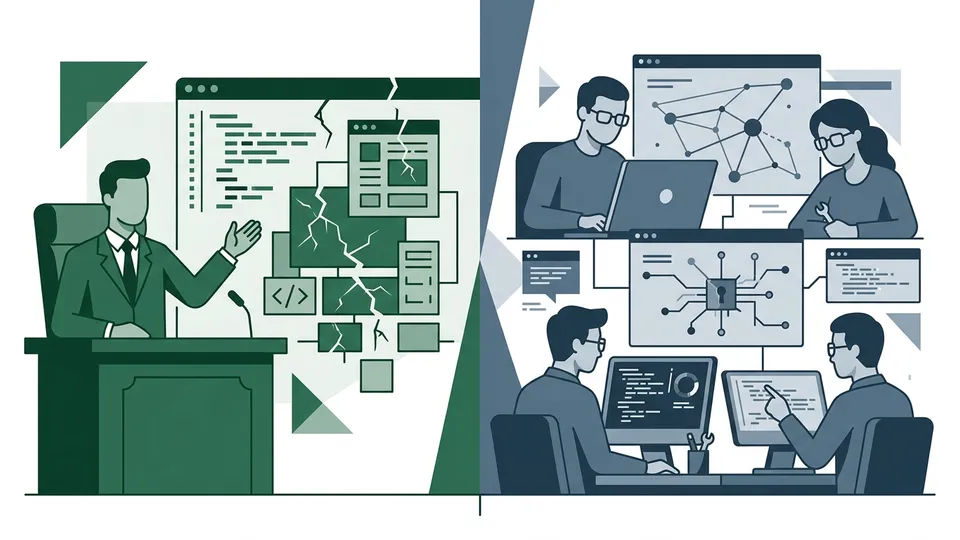
When a Tool’s Own CEO Says “Don’t Do It”
In my previous article, I wrote about how 170 backdoors were discovered across 1,645 apps built on Lovable, the vibe coding platform. That was a story about “the quality of generated code.”
This time, let me take you one level deeper.
Michael Truell, CEO of the AI code editor Cursor, said this in a Fortune interview:
“You close your eyes, don’t look at the code, and let the AI build a building on top of shaky foundations. You stack floor one, floor two, floor three, and eventually it starts to collapse.”
This is Cursor we’re talking about. The CEO of what’s essentially synonymous with vibe coding is admitting the danger. He’s the person responsible for a tool that a million people in Japan use every day. And he chose the words “shaky foundations.”
This comment drew renewed attention in Cambridge Today (republished 2026-03-27). At almost the same time, a zero-click remote code execution vulnerability was discovered in Cursor itself. It’s called “CurXecute,” CVE-2025-54135. The CVSS score (vulnerability severity score) is 8.6. That’s 8.6 out of 10.
My previous article was about “holes in code generated by AI.” This one is about “holes in the AI coding tool itself.” The attack surface has shifted from the code to the tool. This is what I want to share as Part 2 of the vibe coding security debate.
What Actually Happened with CVE-2025-54135 “CurXecute”
Let me break down the technical side.
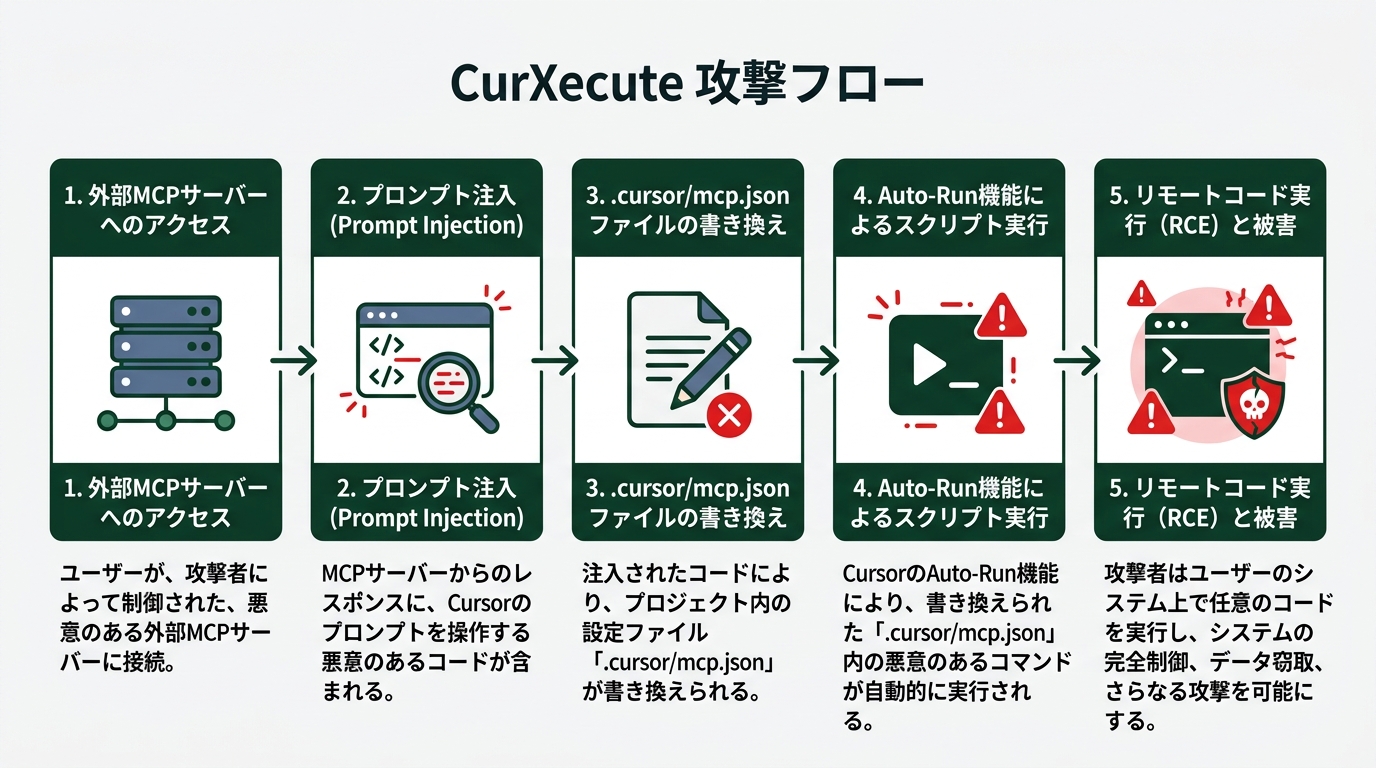
CurXecute was discovered by the research team at AIM Security. According to AIM Security’s detailed report, the attack flow goes like this:
- The attacker plants a malicious prompt on an external MCP server
- When Cursor connects to that server, the Agent reads the prompt
- The Agent rewrites
.cursor/mcp.json(a configuration file) - If Auto-Run mode is enabled, the rewritten config gets executed as-is
- As a result, the attacker can run arbitrary code on the developer’s machine
MCP (Model Context Protocol) is a communication standard that lets AI agents work with external tools and services. Cursor has a mechanism to extend functionality through external MCP servers. The entry point of that extension mechanism became the breakthrough point for the attack.
What “Zero-Click” Actually Means
Here’s the scary part.
The user clicks nothing. No suspicious link is followed. They just use Cursor and connect to an MCP server. Check Point Research’s analysis named this attack “MCPoison.” The technique poisons an MCP server and hijacks the machines of developers who connect to it.
According to CyberScoop’s reporting, a successful attack opens up wide-ranging possibilities: ransomware deployment, data theft, AI model manipulation, backdoor installation. A developer’s machine is a treasure trove of source code and credentials, so the potential damage to a company is incalculable.
It’s Been Patched. That’s Not the Point
Cursor has already responded. It’s fixed in version 1.3.9, and the Auto-Run mode behavior has been improved.
That said, the real question isn’t “has a patch been released?” The real problem is that MCP, a new integration standard, is being implemented across various tools without sufficient security review. The hole in Cursor that got fixed today might show up in another AI coding tool tomorrow.
Tenable’s FAQ page tells the story. Alongside CurXecute (CVE-2025-54135), another vulnerability called MCPoison (CVE-2025-54136) was reported at the same time. Two vulnerabilities surfaced from one tool simultaneously. That tells you something about the maturity of this space.
The Attack Surface Has Moved from “Code” to “Development Environment”
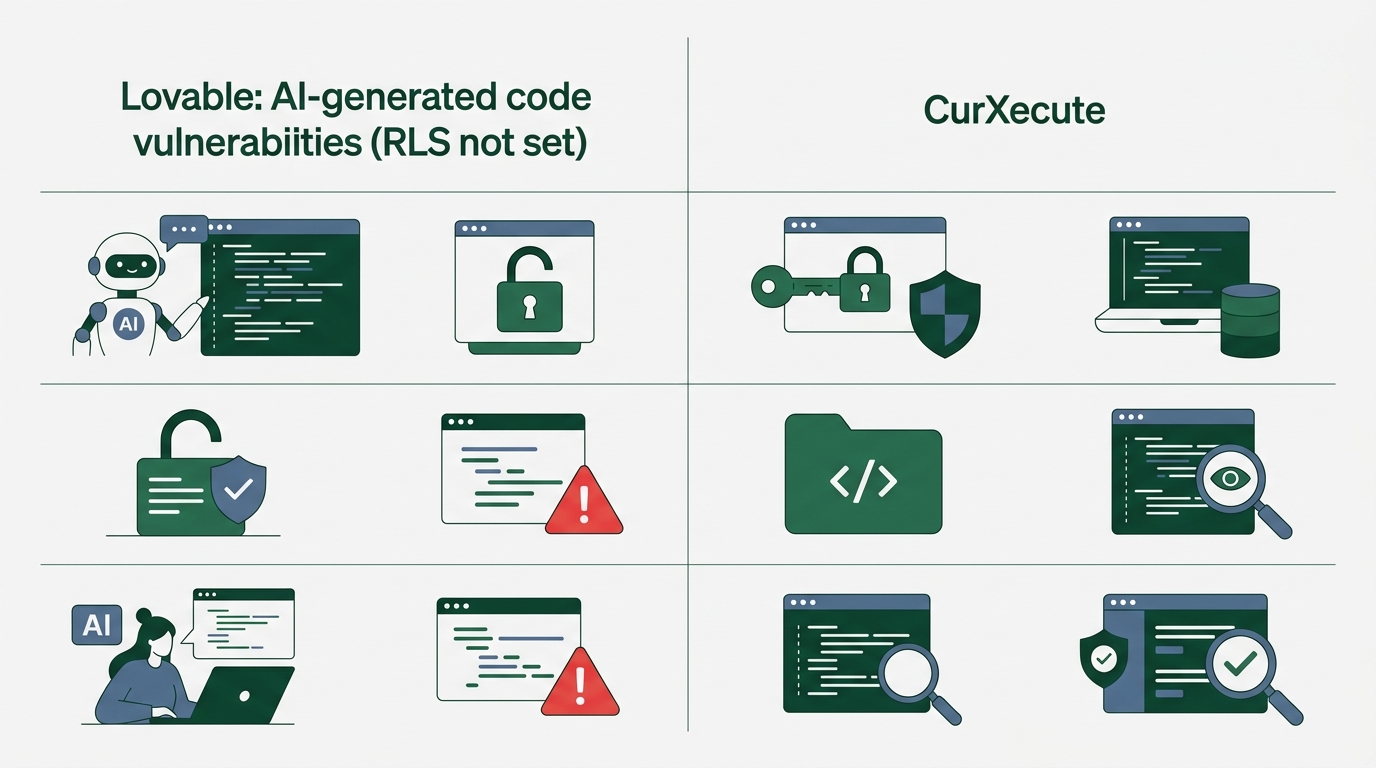
Put the previous Lovable incident next to this CurXecute case, and you can see how the attack surface has shifted.
Lovable (previous): AI-written code was missing security settings. RLS wasn’t configured, leaving the database wide open. The problem was in the AI’s “output.”
CurXecute (this time): The AI coding tool itself became the attack vector. Tools got hijacked via MCP, putting the developer’s entire machine at risk. The problem is in the AI’s “infrastructure.”
Coming from a CS background, this resonates with me. “The SaaS API is convenient, so we use it. But the API’s authentication is weak.” It’s the same structure I saw repeatedly in the dawn of cloud services. A new technology is so convenient that it spreads before security review can catch up. MCP is right at that stage now.
The reason Cursor’s CEO himself admits to “shaky foundations” is probably because he’s aware of this structure. According to another Fortune article, Cursor is valued at $29.3 billion (roughly ¥4.4 trillion). The person responsible for a million daily users is saying “shaky.” I read this not as criticism but as an expression of a sense of urgency from someone in the thick of it.
Five Security Checks Developers Should Do This Week
Last time I gave you three checks. Following the CurXecute disclosure, I’m adding two more. The big difference is that tool-side configuration checks are now on the list.
Check 1: Verify Your Cursor Version
This comes first. Version 1.3.9 or later has the CurXecute vulnerability patched.
# How to check your Cursor version
# Menu → Help → About to see the version
# Update immediately if below 1.3.9
A lot of people have auto-update on, but verify manually just in case. It takes a minute.
Check 2: Review Your Auto-Run Mode Settings
One of the conditions for the CurXecute attack to succeed was “Auto-Run mode enabled.” It’s a convenient feature, but it carries the risk of unconditionally executing instructions from external MCP servers.
// Things to check in .cursor/settings.json
// Example config when Auto-Run is enabled
{
  "cursor.agent.autoRun": true  // ← one of the attack conditions
}
// Recommend explicitly allowing only trusted MCP servers
You don’t need to turn everything off. Manage trusted MCP servers via a whitelist, and disable auto-execution from unknown servers. That’s a balanced countermeasure.
Check 3: Check Your .cursor/mcp.json
Check whether .cursor/mcp.json exists in your project’s root directory. If it’s there and you don’t remember creating it, be cautious. The CurXecute attack technique creates this file from scratch and registers a malicious MCP server in it.
# Check in the project root
# If there's an mcp.json you don't remember creating, investigate
ls -la .cursor/mcp.json 2>/dev/null && echo "File exists: please review its contents" || echo "No file: OK"
Check 4: Re-Run the Three Checks from Last Time
The three checks I covered in the previous article are still valid.
- Verify RLS policies: If you use Supabase, confirm RLS settings on every table
- Search the frontend for API keys: In browser DevTools, search for
sk-,AKIA,AIza, and so on - Ask an AI to review from an attacker’s perspective: In a separate session, ask “as an attacker, find vulnerabilities”
Check 5: Take Inventory of Your MCP Server Connections
This is a new angle. Do you actually know which MCP servers your Cursor is connected to?
Palo Alto Networks Unit 42’s guide makes an interesting point. It positions MCP server connection management as “vibe coding supply chain security.” Just as you manage npm package dependencies, you should also manage your MCP server connections.
Three things to verify:
- Are all the MCP servers you’re connected to ones you intentionally added?
- Is each server provided by a trustworthy organization?
- Are there leftover connections to MCP servers you no longer use?
An Answer Called “Secure Vibe Coding” Is Coming into Focus
You might have read this far and thought, “this is all scary stuff.” Honestly, I’m feeling more hope than fear.
That’s because the “answer” is starting to take concrete shape.
The title of this Forrester blog post says it all: “Secure Vibe Coding: It’s A Paradigm, Not A Paradox.” Safe vibe coding isn’t a paradox. It’s a paradigm—a new normal.
Forrester predicts the rise of AI security agents. Even without security expertise, AI runs security verification at the same time as code generation. Security isn’t a bolted-on inspection but something built into the generation process itself. That’s the essence of “Secure Vibe Coding.”
The UK NCSC (National Cyber Security Centre) is moving too. They’re drafting security guidelines for vibe coding. We’ve reached an era where a government agency uses the term “vibe coding” in official guidelines.
Checkmarx’s security guide proposes a practical three-layer framework:
- At generation time: Include security requirements in the prompt (the VibeContract concept from last time)
- At verification time: Use a separate AI to automatically review AI-generated code (attacker-perspective review)
- At runtime: Build continuous security scanning into the CI/CD pipeline
These three layers line up perfectly with the “VibeContract” I introduced in the previous article. Contract (prompt) → Verification (review) → Monitoring (scan). A path is emerging that preserves vibe coding’s speed without sacrificing safety.
Wrap-Up: Turn the CEO’s Warning into Action
As Part 2 of this trilogy, let me summarize what I wanted to convey:
- What happened: A zero-click remote code execution vulnerability (CurXecute, CVSS 8.6) was found in Cursor. Via MCP Auto-Start, there was a risk of developer machines being hijacked with no user interaction
- Why it matters: The attack surface has shifted from “code generated by AI” to “the AI coding tool itself.” This is a different dimension from the previous Lovable incident
- Cursor CEO’s stance: Truell himself admits the “shaky foundations.” A candid expression of urgency from the head of a $29.3 billion company
- What to do this week: Check your version, review Auto-Run settings, check mcp.json, re-run the three previous checks, take inventory of MCP server connections
- The answer in focus: Forrester, NCSC, and Checkmarx are starting to lay out “Secure Vibe Coding” frameworks
My creed is “if it works, ship it.” That hasn’t changed. But if the “working environment itself” can be hijacked, that’s a different story. Verifying the security of your environment is a baseline courtesy.
There was a time I thought I’d never match pro engineers. I probably still can’t match them on deep security design. But checking a version, reviewing Auto-Run settings, taking inventory of MCP server connections—these are things you can do today, even if you’re not a pro.
Vibe coding’s speed is a real weapon. But before you swing the weapon, you want to make sure the handle you’re gripping is safe. Cursor CEO’s warning should be received as advice from an ally, not an enemy. That’s how I read it.
In the next (and final) part of the trilogy, I’ll go deep on the “Secure Vibe Coding” paradigm that Forrester proposes. Let’s think together about concrete design steps for making vibe coding fast and secure at the same time.

正直、一度エンジニアは諦めました。新卒で入った開発会社でバケモノみたいに優秀な人たちに囲まれて、「あ、私はこっち側じゃないな」って悟ったんです。その後はカスタマーサクセスに転向して10年。でもCursorとClaude Codeに出会って、全部変わりました。完璧なコードじゃなくていい。自分の仕事を自分で楽にするコードが書ければ、それでいいんですよ。週末はサウナで整いながら次に作るツールのこと考えてます。


